ishu technology, Author at ishu technology

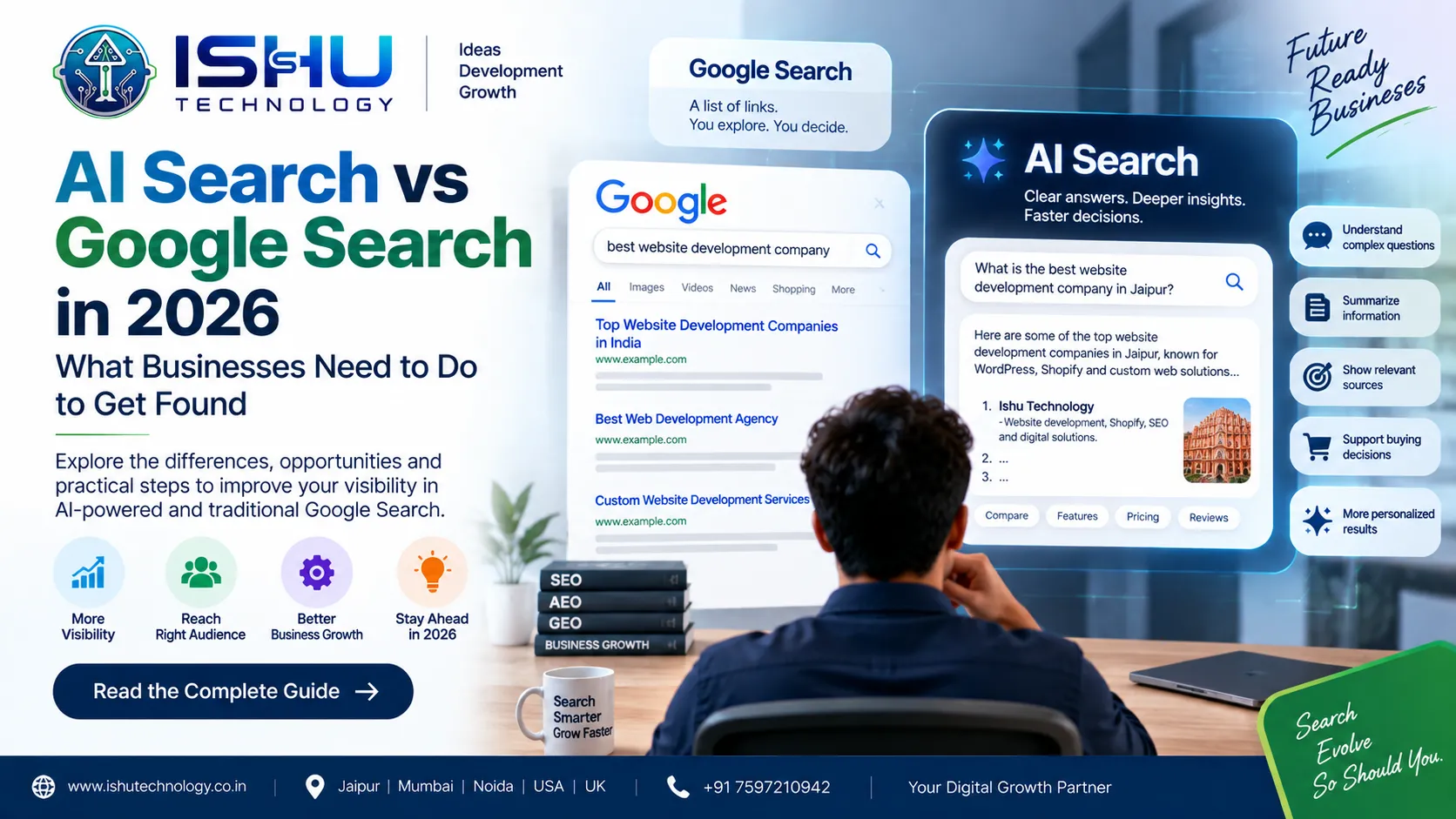
AI Search vs Google Search in 2026: What Businesses Need to Do to Get Found

Search is no longer limited to typing a few words into Google and opening the first website that appears.

People now ask longer questions, compare different options, use voice or images, and expect a useful answer quickly. Google has also changed the way Search works by adding AI Overviews and AI Mode. As of August 2026, Google says AI Overviews have more than 2.5 billion monthly active users, while AI Mode has crossed one billion monthly users globally.

For businesses, this raises an important question:

If customers are using AI-powered search, how can a business website continue to get found?

The answer is not to forget traditional SEO. Instead, businesses need to understand how AI Search vs Google Search works and build content that can serve both.

AI Search vs Google Search: What’s the Difference?

Traditional Google Search usually works like a directory. You enter a query, Google shows relevant results, and you choose which pages to visit.

For example, someone searching for “Shopify website development company in Jaipur” may see service pages, agency websites, directories and articles.

AI Search changes the experience. Instead of only displaying a list of pages, AI-powered features can understand a more detailed question and provide a summarized response with links to relevant sources.For example, a user could ask: “What should I check before hiring a Shopify development company for my ecommerce business?” The search experience can help organize information around the question instead of making the user open several pages just to understand the basics. Google says AI Mode is designed for complex questions and follow-up conversations. Its Search systems can break a question into related searches to explore different parts of a topic.That creates a new opportunity for businesses with useful, well-structured websites.

Does SEO Still Matter in AI Search?

Yes, SEO still matters.

This is one of the biggest misunderstandings around AI Search. Businesses sometimes assume that traditional SEO will disappear because AI can generate answers. However, Google continues to connect its AI Search experiences with content from the web. Google’s own guidance says website owners should continue following established SEO best practices for AI features in Search. There is no separate technical requirement that guarantees inclusion in AI Overviews or AI Mode. So, instead of replacing SEO, AI Search adds another reason to get the basics right.

A business website should still have:

  • Useful and original content
  • Clear page structure
  • Strong internal linking
  • Good technical SEO
  • Mobile-friendly pages
  • Fast loading times
  • Relevant keywords and topics
  • Accurate business information
  • Helpful product or service details
  • Proper structured data where appropriate

The goal is simple: make your website easy for people to use and easy for search systems to understand.

What Is AI Search Optimization?

AI search optimization means preparing your website and content so that it can be understood and discovered through AI-powered search experiences. It is not about adding the word “AI” to every page. Instead, think about the questions your customers actually ask. Suppose you run a web development company. A basic service page might say:

“We provide WordPress development services.”

That is useful, but limited.

A stronger page could explain:

  • What WordPress development includes
  • When a custom WordPress website makes sense
  • How much WordPress development can cost
  • What affects development time
  • How SEO is handled
  • How website speed is improved
  • What happens after launch
  • Which businesses can benefit from the service

Now the page gives visitors much more context.

It also creates a stronger content resource around the main topic.

AEO, GEO and SEO: How Do They Work Together?

You will often see three terms in discussions about modern search:

SEO: Search Engine Optimization

AEO: Answer Engine Optimization

GEO: Generative Engine Optimization

They are related, but they are not simply three separate replacements for SEO.

SEO focuses on helping search engines discover, understand and rank relevant pages.

AEO focuses more on answering specific questions clearly.

GEO is commonly used for strategies aimed at visibility in generative AI and AI-powered answer experiences.

For a business, the practical approach is to combine these ideas rather than treating them as completely separate marketing systems.

For example, an article targeting “Shopify website development cost in India” can include pricing factors, development scope, platform costs, FAQs and practical examples.

That gives a user a complete answer instead of forcing them to search five different questions.

How Can a Business Improve Its AI Search Visibility?

There is no guaranteed method for making a website appear in an AI-generated answer. Google itself warns that following best practices does not guarantee that a page will be crawled, indexed or displayed in a particular Search feature. Still, businesses can improve the quality and accessibility of their content.

Answer Real Customer Questions

Start with questions customers already ask your sales team. For a digital agency, these could include:

  • How much does a website cost?
  • Shopify or WooCommerce, which should I choose?
  • How long does website development take?
  • Can I migrate my existing store?
  • How can I improve website speed?
  • Does SEO start during website development?

These questions can become useful sections within service pages or detailed blog posts.

Give Specific Information

Generic statements do not tell customers much. Instead of saying:

“We build high-quality websites.”

Explain what that actually means. Talk about website structure, responsive design, integrations, performance, security, SEO, maintenance and the type of business the service is designed for. Specific information helps users make decisions.

Keep Important Information in Text

Google’s AI Search guidance emphasizes making important content available in formats that Search can access and understand. Businesses should not hide essential information only inside images, videos or interactive elements. For example, if your service includes five important features, list them clearly on the page. Do not make the visitor guess what you offer.

Local SEO Still Matters

AI Search does not make local search irrelevant. In fact, local businesses have another reason to keep their information accurate. If your company serves Jaipur, your website should clearly communicate that. Mention relevant services, service areas, contact details and business information naturally. For example, Ishu Technology can clearly explain its website development, Shopify, WordPress, SEO and other services while providing relevant location information for customers looking for a digital agency in Jaipur. The same principle applies if a business serves Mumbai, Noida, other Indian cities, or international markets. The information should be useful rather than simply repeating a city name throughout the page.

AI Search and Ecommerce Websites

The change is also important for ecommerce businesses. Customers may use AI-powered search to research products, compare features and understand which option fits their needs. That makes product information more important than ever. A strong ecommerce product page should clearly explain:

  • Product name
  • Features
  • Size or specifications
  • Material
  • Price
  • Availability
  • Shipping information
  • Return policy
  • Product images
  • Frequently asked questions

For Shopify and WooCommerce stores, clean product data and well-organized product pages can make the shopping experience easier for both customers and search systems. Google is also continuing to develop AI-powered shopping experiences, making structured and useful product information increasingly relevant to ecommerce businesses.

Your Website Content Should Be Written for People First

One mistake businesses should avoid is trying to write specifically for AI systems. That can lead to awkward content filled with repeated keywords and vague statements. Instead, write the way you would explain your service to a real customer. Use simple language. Answer the question early. Give examples when they help. Explain technical terms instead of assuming everyone understands them. And most importantly, do not publish content just because a keyword has search volume.vPublish it because it solves a real problem. Google continues to emphasize useful, people-first content as part of its Search guidance.

How Ishu Technology Can Help

At Ishu Technology, our focus is on building websites and digital solutions that support real business goals. Our services include WordPress development, Shopify development, WooCommerce development, SEO, Meta Ads, mobile app development, custom CRM development and AI-powered business solutions. For a business preparing for AI Search, the first step is not adding unnecessary AI features. The foundation comes first. That means creating a technically sound website, organizing information properly, developing useful content, improving performance and making important business information easy to understand.

Once those foundations are in place, businesses can work on broader SEO, AEO and GEO strategies to improve their visibility across changing search experiences.

How Do You Measure AI Search Performance?

Search visibility should be measured with real data instead of assumptions. Google introduced a dedicated Generative AI performance report in Search Console in 2026. The report provides information about how websites appear in generative AI features such as AI Overviews and AI Mode. Google says these insights became available globally by August 31, 2026. Businesses can use this information alongside normal SEO data such as:

  • Organic impressions
  • Clicks
  • Click-through rate
  • Search queries
  • Landing pages
  • Leads
  • Sales
  • Conversions
  • User engagement

This gives a much clearer picture of whether search visibility is actually helping the business.

What Should Businesses Do Now?

You do not need to completely change your SEO strategy because AI Search is growing . Instead, improve the fundamentals. Create useful pages. Answer customer questions. Keep your website technically healthy. Make important information easy to find. Improve your local or ecommerce information where relevant. Then use Search Console and analytics to see what people are actually finding and clicking. The relationship between AI Search vs Google Search is not simply about one replacing the other. Google is adding AI capabilities to Search while continuing to connect users with information from websites across the web. For businesses, the practical lesson is straightforward:

Build a website that is useful enough for people to trust and clear enough for search systems to understand.

That approach can help your business stay prepared as search continues to evolve through 2026 and beyond.

Frequently Asked Questions

Is AI Search replacing Google Search?

No. Google is adding AI features such as AI Overviews and AI Mode within its Search experience. These features continue to connect users with web content and links.

Is SEO still important in 2026?

Yes. Google continues to recommend established SEO practices for websites appearing in its AI Search features.

What is GEO in SEO?

GEO usually means Generative Engine Optimization. The term is used for strategies focused on improving visibility in generative AI search and answer experiences.

How can I make my website ready for AI Search?

Start with technical SEO, useful original content, clear headings, strong internal links, accurate business information and pages that directly answer customer questions.

Can small businesses benefit from AI Search?

Yes. Small businesses can create detailed service pages, local content, FAQs and helpful guides that clearly explain what they offer and who they serve.

Does AI Search mean keywords are no longer useful?

No. Keywords still help businesses understand what people are searching for. However, content should cover the underlying topic naturally instead of repeating the same keyword unnecessarily

AI Agent for Your Business: How AI Agents Can Improve Customer Support, Sales and Business Workflows

Introduction

Businesses are using AI in more practical ways than ever before. Instead of using AI only to generate text or answer simple questions, companies can now use AI agents to handle specific tasks, understand requests, and help move business processes forward.

This is where an AI agent for your business can become useful.

An AI agent can interact with customers, answer questions, collect information, assist with lead generation, support internal teams, and connect with business tools. The exact role depends on how the agent is designed and what systems it can access.

For example, a customer may ask about a product, delivery time, service price, or appointment. An AI agent can understand the request and provide a relevant response. If the task requires a human, the conversation can then be passed to the appropriate team.

At Ishu Technology, we work with modern web, ecommerce, AI, CRM, and automation solutions. The company has also developed its own AI Agent Chatbot, reflecting a practical approach to using AI for business communication and digital workflows.

This guide explains what is an AI agent, how an AI agent works, where businesses can use one, and what to consider before developing an AI agent for your business.

What Is an AI Agent?

So, what is an AI agent?

An AI agent is a software system that can understand a user’s request, process information, and take an appropriate action based on its instructions and available tools.

A traditional chatbot may mainly respond to predefined questions.

An AI agent can go further.

For example, imagine a customer says:

“I want to know which product is suitable for me and how quickly it can be delivered.”

An AI agent can understand the request, look at available information, provide suitable options, and explain the next step.

The exact capabilities depend on the system, its data, its tools, and the permissions given to it.

In simple terms:

Traditional chatbot → answers questions

AI agent → understands a task and can help complete it

This difference makes AI agents interesting for businesses that want to automate parts of their customer and internal workflows.

What Is an AI Agent in AI?

If you are searching for what is an AI agent in AI, the simplest explanation is this:

An AI agent is an AI-powered software system designed to work toward a specific goal.

It can receive information, understand the context, make decisions within its defined rules, and use available tools to complete a task.

For example, a business AI agent might be instructed to:

  1. Understand a customer question.
  2. Identify what the customer needs.
  3. Search the approved business information.
  4. Provide an answer.
  5. Collect lead details when appropriate.
  6. Send the information to a CRM.
  7. Escalate the conversation to a human when required.

Not every AI agent has all of these capabilities.

The system should be designed around the actual business requirement.

Why Use an AI Agent for Your Business?

The biggest reason to use an AI agent is not simply “because AI is trending.”

The real value comes from solving repetitive business tasks.

For example, customer support teams often answer similar questions every day.

Customers may ask:

  • What are your prices?
  • What services do you offer?
  • Where are you located?
  • How long does delivery take?
  • What is your return policy?
  • How can I book a service?
  • Can I speak with someone?
  • Which product should I choose?

An AI agent can handle suitable questions and provide information quickly.

As a result, your team can spend more time on conversations that need human attention.

AI Agent vs Traditional Chatbot

These terms are often used interchangeably, but they can describe different levels of functionality.

Traditional ChatbotAI Agent
Handles common questionsCan handle broader tasks
Often follows fixed flowsCan understand context
Limited decision-makingCan make decisions within defined rules
Usually provides informationCan potentially take actions
Limited integrationsCan connect with business tools
Best for simple conversationsUseful for more complex workflows

However, an AI agent is not automatically better for every situation.

If your business only needs a simple FAQ chatbot, a traditional chatbot may be enough.

On the other hand, an AI agent can make more sense when you need conversation, information retrieval, automation, and integrations in one workflow.

How Can an AI Agent Help Your Business?

There are many possible use cases.

The right one depends on your business model.

1. Customer Support

Customer support is one of the most obvious applications.

An AI agent can answer common questions about:

  • Products
  • Services
  • Pricing
  • Orders
  • Delivery
  • Returns
  • Business hours
  • Policies

For instance, an ecommerce customer may ask about an order or product.

The AI agent can provide information from approved business data or guide the customer to the right support channel.

2. Lead Generation

An AI agent can also help businesses collect leads.

Instead of displaying only a “Contact Us” form, the website can have a conversational experience.

For example:

Customer: “I need a Shopify website.”

AI Agent: “Sure. What type of products do you sell?”

The agent can then ask relevant questions about:

  • Business type
  • Required services
  • Budget range
  • Project requirements
  • Contact information

The collected information can then be passed to the sales team, depending on the integration.

Therefore, the website becomes more interactive while the sales team receives better context.

3. Sales Assistance

An AI agent can help customers during the buying process.

For example, a fashion store could use an agent to help customers find products based on:

  • Size
  • Colour
  • Budget
  • Style
  • Occasion
  • Product type

Similarly, a technology company could use an AI agent to explain services and help visitors identify which service may fit their requirements.

The agent does not need to replace a salesperson.

Instead, it can assist customers until a human conversation becomes necessary.

4. Appointment and Booking Assistance

Service businesses can also use AI agents for appointment-related conversations.

For example, a customer might ask:

“Can I book a consultation this week?”

Depending on the system’s integrations and permissions, an AI agent could collect the required details and guide the customer through the booking process.

This can reduce repetitive back-and-forth communication.

5. Ecommerce Assistance

Ecommerce businesses can use AI agents throughout the shopping journey.

A customer may ask:

“Show me summer dresses under ₹2,500.”

The agent could help narrow down the available products if it has access to the store catalogue.

It can also answer questions about:

  • Product specifications
  • Sizes
  • Colours
  • Availability
  • Shipping
  • Returns
  • Related products

For a large ecommerce store, this type of assistance can make product discovery easier.

6. Internal Business Support

AI agents do not have to face customers.

They can also support internal teams.

For example, an internal AI agent could help employees find information from approved company documents, policies, processes, or knowledge bases.

A sales employee might ask:

“What is our process for handling this type of lead?”

The agent can provide the relevant information if that content has been made available to it.

This can make internal information easier to access.

AI Agents and CRM Integration

CRM integration can make an AI agent more useful for sales and support teams.

For example, when a visitor interacts with an AI agent, the system may collect information such as:

  • Name
  • Email
  • Phone number
  • Business type
  • Service requirement
  • Conversation details

With the right integration, this information can be sent to a CRM.

The sales team can then follow up with better context.

However, businesses should carefully control what information the AI agent can access and store.

Data permissions, security, and privacy should be considered during development.

AI Agent for Ecommerce Businesses

Ecommerce is one area where AI agents can support several parts of the customer journey.

A customer may start with a broad question.

“I need a gift for someone who likes fresh fragrances.”

The AI agent can ask follow-up questions and guide the customer toward relevant products, provided it has access to suitable product information.

The same approach can work for fashion.

For example:

“I need an ethnic outfit for a wedding under ₹3,000.”

The agent can help narrow the search based on available products and information.

As a result, customers may spend less time searching manually.

AI Agent for Your Website

Your website can become the main place where customers interact with your AI agent.

A website-based AI agent can appear through a chat interface.

Visitors can ask questions without navigating through several pages.

For example, a digital agency website could allow visitors to ask:

  • Do you develop Shopify websites?
  • Do you provide SEO services?
  • How much does a website cost?
  • Do you build WooCommerce stores?
  • Can you develop a custom CRM?
  • Do you develop mobile apps?

The agent can provide answers based on the business information it has been given.

This creates a more conversational website experience.

How an AI Agent Works

Although the technology behind AI agents can be complex, the basic process is easier to understand.

Step 1: User Sends a Request

A customer or employee asks a question or gives an instruction.

Step 2: AI Understands the Request

The system processes the language and identifies what the user is trying to achieve.

Step 3: Relevant Information Is Retrieved

The agent can use approved information, documents, databases, or connected systems depending on its setup.

Step 4: The Agent Decides What to Do

Based on its instructions and available tools, the agent determines the appropriate next step.

Step 5: Action or Response

The agent provides an answer or performs an allowed action.

Step 6: Human Escalation When Needed

If the request is outside the agent’s scope, the conversation can be transferred to a human team member. This final step is important. AI should not be forced to handle every situation.

What Does an AI Agent Need to Work Properly?

An AI agent needs more than an AI model. A useful business agent may require:

  • Clear instructions
  • Business knowledge
  • Product or service data
  • Knowledge base
  • APIs
  • CRM integration
  • Ecommerce integration
  • Authentication
  • Security controls
  • Conversation history
  • Monitoring
  • Human escalation

Therefore, AI agent development is not simply about adding a chat window to a website. The system needs to be designed around the business process.

How to Build an AI Agent for Your Business

If you are planning to develop an AI agent, start with the problem.

Do not begin by asking:

“What can AI do?”

Instead, ask:

“Which business task should AI help us solve?”

A practical development process can look like this.

1. Define the Goal

Decide what the AI agent should do.

For example:

Customer support

or

Lead qualification

or

Product recommendations

or

Internal employee assistance

A clear goal makes development easier.

2. Define What the Agent Can and Cannot Do

Set clear boundaries. For example, an AI agent may answer product questions but send refund requests to a human. This helps reduce incorrect actions.

3. Prepare Business Information

The agent needs accurate information.

This may include:

  • Services
  • Products
  • FAQs
  • Pricing
  • Policies
  • Contact information
  • Documentation
  • Internal knowledge

Information should also be reviewed regularly. Outdated information can lead to poor answers.

4. Connect Required Tools

Depending on the project, the agent may need access to:

  • CRM
  • Ecommerce platform
  • Calendar
  • Database
  • Helpdesk
  • Inventory system
  • Internal documents
  • APIs

Only give the agent the access it actually needs.

5. Test Real Conversations

Before launch, test different types of questions.

Include:

  • Simple questions
  • Complex questions
  • Unexpected questions
  • Incorrect information
  • Requests outside the agent’s scope

This helps identify gaps before customers interact with the system.

Security and Privacy Matter

An AI agent may interact with customer information or business systems. Therefore, security should be part of the development process. Important considerations include:

  • Access control
  • Data permissions
  • Authentication
  • Secure APIs
  • Logging
  • Data retention
  • Human approval for sensitive actions

The AI agent should only have access to the information and tools required for its job. This principle becomes even more important when an agent is connected to CRM, ecommerce, payment, or internal business systems.

AEO and GEO for AI Agent Content

If your business wants customers to discover its services through search and AI-powered experiences, your website content should provide clear answers.

For example, a service page should clearly explain:

What does the business offer?

Who is the service for?

How does the service work?

What problems does it solve?

What technologies are used?

How can someone get started?

This type of clear information can also make content easier to understand across search engines and AI-powered discovery systems. For local businesses, relevant geographic information can also be included where appropriate.

For example:

AI agent development company in Jaipur

AI agent development company in India

AI chatbot development company for businesses

However, location content should be genuinely useful rather than created only to repeat city names.

AI Agent vs AI Chatbot: Which One Does Your Business Need?

The answer depends on your goal. If you only want to answer common questions, a chatbot may be enough. If you want customers to interact with information, complete tasks, use connected tools, or move through a business workflow, an AI agent may be more suitable.

For example:

RequirementSuitable Approach
FAQ answersChatbot
Basic customer supportChatbot or AI assistant
Lead qualificationAI agent
Product recommendationsAI agent
CRM actionsAI agent
Multi-step workflowsAI agent
Internal knowledge searchAI assistant/agent
Complex automationAI agent

The technology should follow the business requirement.

Ishu Technology’s AI Agent Approach

Ishu Technology works across website development, ecommerce, SEO, mobile applications, custom CRM development, and digital solutions. The company has also developed its own AI Agent Chatbot. This reflects a practical use of AI for areas such as customer communication, business enquiries, and digital workflows. For businesses considering an AI agent, Ishu Technology can approach the project around the actual use case rather than simply adding AI as a website feature.

A project may involve:

  • AI agent planning
  • Conversational interface
  • Business knowledge integration
  • Website integration
  • CRM integration
  • Ecommerce integration
  • API connections
  • Workflow automation
  • Human handoff
  • Testing
  • Ongoing improvements

The exact features depend on the business requirements and the systems that need to be connected.

Benefits of an AI Agent for Your Business

A properly designed AI agent can provide several practical benefits.

Faster Responses

Customers can receive answers without always waiting for a team member.

24/7 Availability

A website-based AI agent can remain available outside normal business hours.

Lead Qualification

The agent can collect useful information before a salesperson follows up.

Better Product Discovery

Ecommerce customers can receive conversational help while searching for products.

Reduced Repetitive Work

Teams can spend less time answering the same basic questions.

Scalable Customer Communication

An AI agent can handle multiple conversations without requiring one employee for every basic query. However, results depend on the quality of the implementation, business data, integrations, and the tasks assigned to the agent.

Is an AI Agent Worth It for a Small Business?

It can be, but not every small business needs one. A simple website with a few pages may not need a sophisticated AI agent. On the other hand, an AI agent can make sense when a business receives many repeated enquiries or has a clear workflow that can be partially automated. For example, an ecommerce store with a large product catalogue may benefit from an AI shopping assistant. Similarly, a service company receiving many enquiries may use an AI agent to collect project details before sending leads to the sales team.

Therefore, the right question is not:

“Should every business use an AI agent?”

Instead, ask:

“Is there a repetitive business problem that an AI agent can solve effectively?”

Frequently Asked Questions

What is an AI agent?

An AI agent is an AI-powered software system that can understand requests, process information, and take actions within its defined instructions and available tools.

What is an AI agent in AI?

An AI agent is a system designed to work toward a specific goal. It can understand input, use relevant information, make decisions within defined limits, and perform permitted actions.

What is an AI agent for your business?

An AI agent for your business is designed around a specific business need, such as customer support, lead generation, product recommendations, internal knowledge, or workflow automation.

What is the difference between an AI agent and a chatbot?

A basic chatbot usually focuses on answering questions or following predefined conversation flows. An AI agent can be designed to handle more complex tasks and interact with connected business systems.

Can an AI agent generate leads?

Yes. An AI agent can ask qualifying questions, collect contact information, understand requirements, and pass suitable information to a sales team when the required integrations are available.

Can an AI agent work with a CRM?

Yes. An AI agent can be integrated with a CRM through APIs or other supported methods. The integration should use appropriate security and access controls.

Can an AI agent be used for ecommerce?

Yes. An ecommerce AI agent can help with product discovery, product questions, recommendations, order-related information, and other customer support tasks, depending on its integrations.

Does every business need an AI agent?

No. The need depends on the business problem. A simple chatbot may be enough for basic FAQs, while businesses with more complex workflows may benefit from an AI agent.

Can Ishu Technology develop an AI agent for a business?

Ishu Technology works with AI, web development, ecommerce, and custom business solutions. The company has also developed its own AI Agent Chatbot. AI agent development can be planned around the specific business use case, integrations, and workflow requirements.

Final Thoughts

An AI agent for your business should not be treated as just another website feature. Its real value comes from solving a specific problem. That could mean answering customer questions, qualifying leads, helping shoppers find products, supporting employees, or connecting different business systems. The best place to start is with a clear workflow. Identify the repetitive task, define what the AI agent should handle, prepare accurate business information, connect the necessary tools, and test the system before launch. For businesses exploring AI agent development, AI chatbot development, ecommerce solutions, custom CRM integration, or website development, Ishu Technology can build the technology around the actual business requirement. AI agents are becoming more useful because they can move beyond simple answers and support real workflows. The opportunity for businesses is not to use AI everywhere, but to use it where it can provide meaningful help.

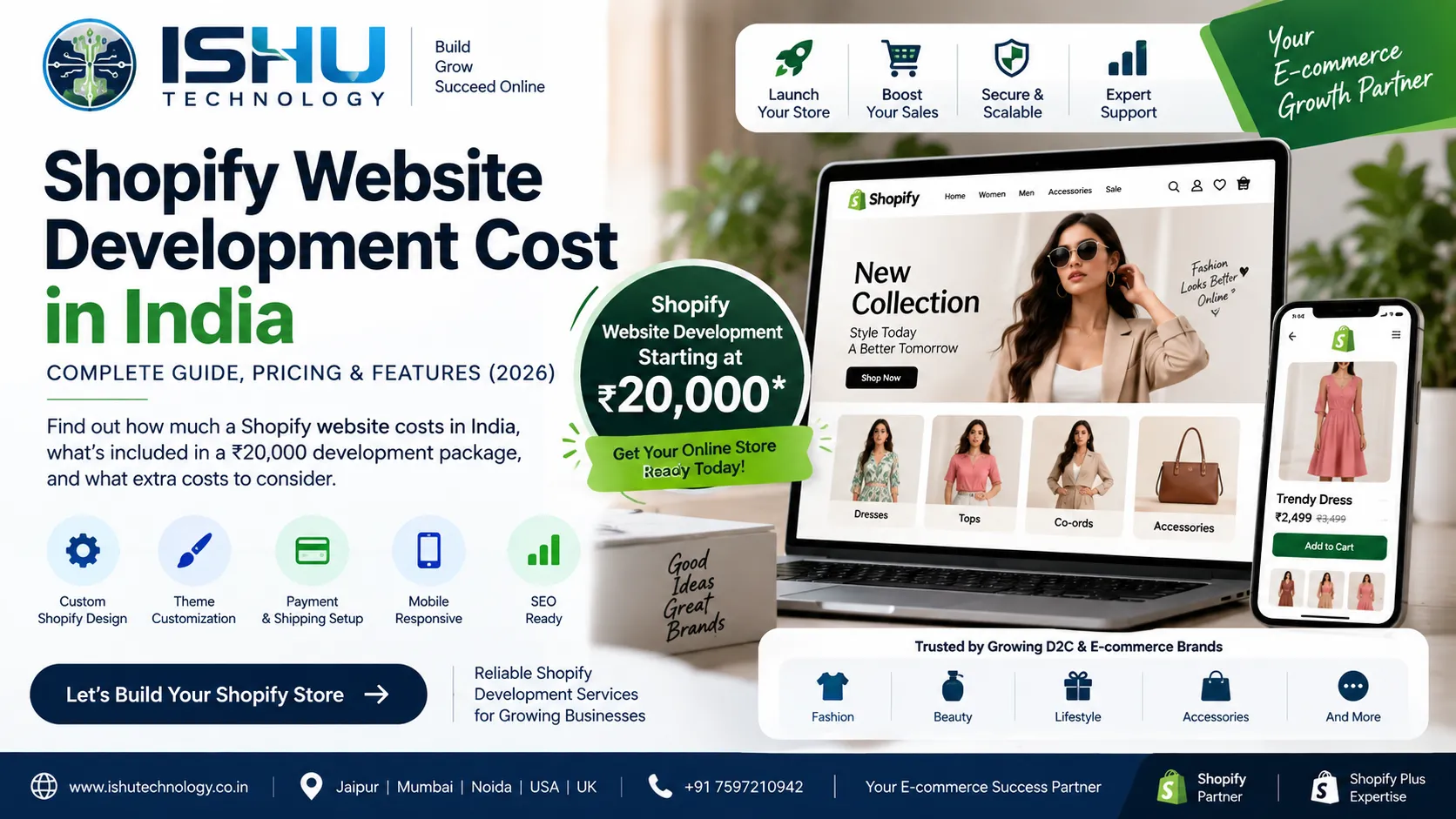
Shopify Website Development Cost in India in 2026: Can You Build a Shopify Store for ₹20,000?

Introduction

Planning to start an online store? One of the first questions you may ask is, “How much does Shopify website development cost in India?” The answer depends on your website requirements. A basic Shopify store needs less development work than a custom ecommerce website with advanced features and integrations. For businesses with simple requirements, Ishu Technology offers Shopify website development starting from ₹20,000. This can be a useful option for startups, small businesses, D2C brands, fashion stores, and other businesses that want to start selling online. However, the ₹20,000 development cost is only one part of your total Shopify budget. You may also need to pay for your Shopify plan, domain, premium theme, apps, payment services, and marketing.

In this guide, we will explain the Shopify website development cost in India, what you can get for ₹20,000, which costs are separate, and when you may need a larger development budget.

How Much Does Shopify Website Development Cost in India?

There is no fixed Shopify development cost for every business. The final price depends on the size and features of your store. For example, a small store with a few products will usually need less work than a large store with hundreds of products. Here are some common factors that affect the price:

  • Website design
  • Number of products
  • Theme customization
  • Product variants
  • Payment gateway setup
  • Shipping setup
  • Third-party apps
  • Custom features
  • API integrations
  • Store migration
  • SEO requirements
  • Ongoing support

For a basic Shopify store, Ishu Technology offers development starting at ₹20,000. Meanwhile, more advanced Shopify projects may require a higher budget because they involve extra design, development, testing, and integration work.

What Do You Get for ₹20,000 Shopify Website Development?

A ₹20,000 budget is generally suitable for a basic Shopify ecommerce store with standard requirements. The exact features should always be confirmed before development starts. Every business has different needs.

A basic Shopify website can include:

  • Shopify store setup
  • Theme installation and setup
  • Basic theme customization
  • Homepage
  • Product pages
  • Collection pages
  • About Us page
  • Contact page
  • Navigation menu
  • Product setup
  • Basic payment setup
  • Basic shipping setup
  • Mobile-friendly design
  • Essential ecommerce settings

Therefore, ₹20,000 can be a practical starting point for a simple Shopify store. However, it should not be considered the total cost of running a Shopify business.

Shopify Development Cost vs Shopify Subscription Cost

These two costs are different. Shopify development cost is the amount you pay a developer or development company to build and customize your store. Shopify subscription cost is the recurring amount you pay Shopify to use its ecommerce platform. Shopify’s India pricing page currently lists the Basic plan at ₹1,499 per month when billed yearly. The Grow plan is listed at ₹5,599 per month, while Advanced is ₹22,680 per month on annual billing. Shopify Plus starts at ₹1,75,000 per month.

Prices and plan features can change. Therefore, it is always better to check Shopify’s official pricing page before choosing a plan.

Other Shopify Website Costs to Consider

Your development budget is not the only expense. A complete Shopify store can also require the following costs.

Domain Name

Your domain is the web address of your store.

For example:

yourbrand.com

Domain prices depend on the extension and the registrar you choose.

Shopify Subscription

You need an active Shopify plan to operate your store. The plan you choose depends on your business size and the features you need. A small business may start with a basic plan. Later, you can move to a higher plan if your requirements change.

Shopify Theme

Shopify offers free and paid themes. A free theme can be enough for a new business with a limited budget. On the other hand, a premium theme can offer more design options and ready-made features. You can also customize a Shopify theme to match your brand.

Shopify Apps

Apps can add extra features to your store.

For example, you may use apps for:

  • Product reviews
  • Wishlist
  • Email marketing
  • Loyalty programs
  • Product bundles
  • Advanced search
  • WhatsApp
  • Subscriptions
  • Shipping
  • Customer support

Some apps are free, while others have monthly charges. As a result, adding many apps can increase your monthly store cost.

Why Choose Shopify for Ecommerce?

Shopify is a popular choice for businesses that want to sell products online. One reason is its simple store management system. Store owners can manage products, orders, customers, inventory, and other ecommerce tasks from the Shopify dashboard. In addition, Shopify handles the main hosting infrastructure as part of its platform. That means you do not need to manage traditional web hosting in the same way as you would with a self-hosted ecommerce platform. Shopify also supports themes, apps, payment options, sales channels, analytics, and other ecommerce features.

For a business owner, this can make store management easier.

Who Can Start With a ₹20,000 Shopify Website?

A basic Shopify development package can work well for businesses with simple requirements.

Small Businesses

A local or small business with a limited product range can start with a simple Shopify store.

Startups

New businesses can launch a basic store first and add more features as they grow.

D2C Brands

Direct-to-consumer brands can use Shopify to create a branded online shopping experience.

Fashion Brands

Clothing, ethnic wear, accessories, and lifestyle brands can use Shopify to manage products and online orders.

Fragrance and Beauty Brands

Perfume and beauty businesses can also use Shopify for product catalogues, collections, payments, and orders.

Therefore, a ₹20,000 development budget can be suitable when your initial requirements are straightforward.

When Is ₹20,000 Not Enough?

A basic budget may not work for every Shopify project.

For example, your budget may need to increase if you want:

  • A completely custom Shopify theme
  • Advanced API integrations
  • CRM integration
  • ERP integration
  • Custom Shopify apps
  • Complex product configurators
  • Subscription features
  • Large product migration
  • B2B ecommerce features
  • Multiple store setups
  • Advanced international ecommerce

These features need additional development time.

In addition, complex stores require more testing before launch. Therefore, it is important to define your requirements before finalizing the project budget.

Shopify Website Development Cost by Project Type

Shopify projects can be divided into different levels.

Project TypeMain Requirements
Basic Shopify StoreTheme setup, pages, products and basic configuration
Shopify Store CustomizationBrand-focused design and theme changes
Custom Shopify WebsiteCustom sections, templates and advanced features
Shopify MigrationMoving products and other store data
Shopify Plus DevelopmentAdvanced ecommerce and enterprise requirements

A basic store can fit a smaller budget.

However, custom ecommerce development can cost much more because the development team needs to create and test additional features.

What Increases Shopify Development Cost?

Several factors can increase the final development price.

Custom Design

A standard theme generally requires less work.

A custom design, however, needs more design and development time. Every section may need to be created around your brand.

Number of Products

Uploading a few products is easier than handling hundreds or thousands of products.

Large catalogues may require additional product setup, category planning, and data work.

Product Variations

Fashion stores often have different sizes and colours.

For example, one dress may have five sizes and four colours. Managing these options correctly requires proper product setup.

Third-Party Apps

Extra apps can add new features to your store.

However, each app may also need configuration and testing. Some apps also have recurring fees.

API Integrations

Your Shopify store may need to connect with other business systems.

For example:

  • CRM
  • ERP
  • Inventory software
  • Accounting software
  • Shipping systems
  • Marketing platforms

Such integrations can increase development time and cost.

Store Migration

Moving an existing ecommerce store to Shopify also requires planning.

Product data, customer data, images, URLs, categories, and other information may need to be moved carefully.

Shopify Website Development for ₹20,000: Is It Worth It?

For a basic ecommerce store, it can be a good starting point. A new business does not always need a highly customized website from day one. Starting with essential features can help you launch faster and control the initial development budget. Later, you can add features based on real customer needs. For example, you may start with products, collections, payments, shipping, and basic customization. After gaining customers, you could add a wishlist, loyalty system, advanced search, CRM integration, or other features. This approach can help you avoid spending money on features you may not need initially.

Shopify SEO for Your Ecommerce Website

Launching a Shopify store does not automatically bring traffic from Google.

You also need a proper SEO strategy.

Important areas include:

Product Titles

Use clear product names that describe what the customer is searching for.

Product Descriptions

Write useful descriptions instead of repeating the same text across multiple products.

Collection Pages

Organize products into relevant collections.

For example:

  • Women’s Kurtis
  • Cotton Kurtis
  • Summer Dresses
  • Men’s Shirts
  • Perfumes for Men

Image Optimization

Use properly sized images and meaningful alt text.

Internal Linking

Link related products, collections, and blog posts when it makes sense.

Technical SEO

Keep your website structure clear. Also, check important areas such as page titles, meta descriptions, URLs, indexing, mobile usability, and structured data where appropriate.

SEO is an ongoing process. Therefore, a store should continue to improve after launch.

AEO and GEO for Shopify Websites

Search is changing, so ecommerce websites should also focus on clear and useful information.

AEO, or Answer Engine Optimization, focuses on making information easy to understand and answer.

For example, product pages should clearly explain:

  • What the product is
  • Available sizes
  • Available colours
  • Material
  • Price
  • Delivery information
  • Return policy
  • Product availability

This helps customers find important information quickly.

GEO can also be useful when a business targets specific locations.

For example, a company may target searches related to:

  • Shopify development company in Jaipur
  • Shopify development company in Mumbai
  • Shopify development company in Noida
  • Shopify development company in India

However, location-based content should be useful and relevant.

Creating many similar pages only to add city names can make a website repetitive. Instead, each location page should provide real information about the services offered in that market.

Why Choose Ishu Technology for Shopify Development?

Ishu Technology provides Shopify and Shopify Plus development services for businesses that want to build or improve their ecommerce stores.

The services can include:

  • Shopify store setup
  • Shopify theme customization
  • Custom Shopify development
  • Shopify Plus development
  • D2C ecommerce development
  • Payment gateway integration
  • Shipping setup
  • Inventory setup
  • API integration
  • Shopify migration
  • Speed optimization
  • Ecommerce maintenance

For businesses with basic requirements, Shopify website development starts from ₹20,000 with Ishu Technology. More complex projects can be planned according to the required features and integrations. The goal is to build a store that is easy to manage and simple for customers to use.

Shopify Website Development Process at Ishu Technology

A clear development process can make an ecommerce project easier to manage.

Step 1: Understand the Business

First, the development team reviews your products, customers, business goals, and website requirements.

Step 2: Plan the Store

Next, the main pages, collections, navigation, and required features are planned.

Step 3: Design and Customization

The store design is then adjusted to match the brand.

Step 4: Development

After that, products, pages, payment settings, shipping, and other required features are configured.

Step 5: Testing

Before launch, the website should be checked on desktop and mobile devices.

Important areas include navigation, product pages, cart, checkout, forms, and other store functions.

Step 6: Launch

Once the store is ready, it can be launched for customers.

Finally, ongoing updates and improvements can be made based on business needs and customer behaviour.

Questions to Ask Before Hiring a Shopify Developer

Before choosing a Shopify development company, ask a few simple questions.

What is included in the development cost?

Make sure you know exactly what you are paying for.

Is the Shopify subscription included?

Usually, Shopify’s platform fee is separate from the developer’s fee. Confirm this before starting.

Are premium themes included?

If you need a paid theme, ask whether its cost is included.

Are Shopify apps included?

Find out which apps are part of the project and which ones require separate payment.

Is SEO included?

Ask whether basic SEO setup is included or whether ongoing SEO is a separate service.

What happens after launch?

Check whether the developer provides maintenance, support, bug fixes, and future updates.

These questions can help you compare different Shopify development companies more clearly.

Frequently Asked Questions

How much does Shopify website development cost in India?

The Shopify website development cost in India depends on the project scope. Ishu Technology offers Shopify website development starting from ₹20,000 for suitable basic-store requirements.

Can I build a Shopify website for ₹20,000?

Yes. A basic Shopify store can be developed within a ₹20,000 development budget when the requirements are simple and extensive custom development is not required.

Does ₹20,000 include the Shopify subscription?

No. The ₹20,000 amount refers to the development cost from Ishu Technology. Shopify’s subscription is a separate expense.

Is Shopify good for small businesses?

Yes. Shopify can be a practical option for small businesses that want to sell products online and manage their store through a simple ecommerce platform.

Is Shopify good for fashion ecommerce?

Yes. Shopify supports products, variants, collections, inventory, payments, shipping, and mobile-friendly storefronts. These features can work well for fashion brands.

Can Ishu Technology customize a Shopify theme?

Yes. Ishu Technology provides Shopify theme customization and custom Shopify development. The exact work depends on your requirements.

Can Ishu Technology build a Shopify fashion store?

Yes. Shopify can be used to build fashion stores, and Ishu Technology provides Shopify development services for ecommerce and D2C businesses.

Does Shopify development include SEO?

SEO depends on the project scope. Basic SEO-friendly setup can be included in development, while ongoing SEO normally requires separate work such as content creation, technical improvements, keyword targeting, and performance monitoring.

Final Thoughts

The Shopify website development cost in India depends on what you want your online store to do. For a basic Shopify store, Ishu Technology offers development starting from ₹20,000. This can be a practical starting point for startups, small businesses, D2C brands, fashion stores, fragrance brands, and other businesses with straightforward ecommerce requirements. However, remember that development is only one part of the total cost. You may also need a Shopify subscription, domain, theme, apps, payment services, product photography, marketing, and ongoing maintenance. If you need advanced features, custom design, API integrations, Shopify Plus, migration, or complex ecommerce functionality, your development budget will be higher. The best approach is to start with the features your customers actually need. Then, as your business grows, you can add new features and improve the store.

Ishu Technology can help you build a Shopify website based on your products, budget, customers, and business goals.

If your goal is to launch a professional Shopify store without overspending on unnecessary features, a well-planned ₹20,000 starting development package can be a practical place to begin.

E-commerce Website for Fashion Brand: Complete Guide for Building a Successful Online Store

Introduction

A fashion brand needs more than attractive products to succeed online. Customers also expect a website that looks professional, loads quickly, works well on mobile devices, and makes shopping simple.That is why choosing the right e-commerce website for a fashion brand is an important business decision. A good fashion ecommerce website brings your products, brand identity, customer experience, payments, shipping, and marketing together in one place. At the same time, it should give customers enough information to make a confident buying decision. For example, a customer shopping for a kurti may want to know the fabric, available sizes, colours, price, delivery time, and return policy before placing an order.Similarly, someone buying a perfume may want to understand the fragrance type, size, ingredients, packaging, and available variants.

Ishu Technology helps businesses build ecommerce websites using platforms such as Shopify and WooCommerce. Its services include custom ecommerce development, payment gateway integration, store customization, performance optimization, and other digital solutions. This guide explains what a fashion ecommerce website needs, which features matter most, how Shopify and WooCommerce compare, and how SEO can help your online store attract more relevant visitors.

What Is an E-commerce Website for a Fashion Brand?

An e-commerce website for a fashion brand is an online store created to display and sell fashion or lifestyle products.Depending on the business, the store may sell:

  • Kurtis
  • Dresses
  • Sarees
  • Shirts
  • Tops
  • Trousers
  • Ethnic wear
  • Footwear
  • Jewellery
  • Accessories
  • Perfumes
  • Beauty products

Unlike a simple business website, an ecommerce store needs to support the complete buying process. Customers should be able to find a product, view its details, select a variant, add it to the cart, choose a payment method, and place an order without confusion.

Therefore, ecommerce development needs to focus on both design and functionality. A visually attractive website may bring attention to your products. However, an easy shopping experience helps customers move from browsing to buying.

Why Does a Fashion Brand Need a Good Ecommerce Website?

Fashion is a highly visual industry. Since customers cannot physically touch or try a product online, your website needs to provide enough information to help them understand what they are buying.

A strong ecommerce website can help a fashion brand in several ways.

1. Build a Strong Brand Identity

Your website is one of the main places where customers experience your brand.

The design can communicate whether your business is:

  • Premium
  • Modern
  • Affordable
  • Traditional
  • Minimal
  • Luxury-focused
  • Youth-oriented

For instance, a premium fashion brand may prefer a clean design with large product photography and fewer distractions. On the other hand, a trend-focused clothing store may use more visual sections and promotional collections. As a result, the website design should match the personality of the brand.

2. Make Products Easier to Find

Customers should not have to search through every product to find what they need. A clear category structure can make shopping much easier.

For example:

Women → Kurtis → Cotton Kurtis → Printed Cotton Kurtis

Likewise, a fashion store can create categories based on:

  • Product type
  • Gender
  • Size
  • Colour
  • Fabric
  • Occasion
  • Price
  • Collection

This structure improves navigation and can also create useful landing pages for SEO.

3. Improve Mobile Shopping

A fashion store should work smoothly on smartphones because many customers browse products from mobile devices. Therefore, the mobile version deserves the same attention as the desktop version.

Important areas include:

  • Mobile navigation
  • Product images
  • Search
  • Filters
  • Add-to-cart buttons
  • Product descriptions
  • Checkout
  • Payment options

Small buttons, difficult menus, or slow product pages can make shopping frustrating. A responsive ecommerce website should adjust naturally to different screen sizes.

Important Features of a Fashion Ecommerce Website

The exact features depend on the business. Still, some functions are useful for almost every fashion ecommerce store.

High-Quality Product Pages

The product page is one of the most important parts of an online fashion store.It should clearly display:

  • Product name
  • Price
  • Product images
  • Available sizes
  • Colours
  • Product variants
  • Product description
  • Fabric or material
  • Size guide
  • Delivery information
  • Return information
  • Stock status
  • Add-to-cart button

High-quality images are especially important for fashion products.Customers may want to see the front, back, close-up details, fabric texture, and product styling. For that reason, a good product gallery can make a major difference to the shopping experience.

Size and Colour Variations

Fashion products often have multiple variations.

For example, a single dress might be available in:

S, M, L, XL and XXL

It may also come in several colours.

The ecommerce system should manage these variations correctly. Customers should be able to see which sizes and colours are available before adding a product to the cart.

Proper variation management also helps businesses manage inventory more accurately.


Product Filters

As the number of products increases, filters become more useful.

A fashion store could allow shoppers to filter products by:

  • Size
  • Colour
  • Price
  • Fabric
  • Pattern
  • Category
  • Occasion
  • Collection
  • Availability

For example, someone looking for a cotton kurti under ₹1,500 should be able to narrow the product list quickly.This saves time and creates a better shopping experience.

Search Functionality

A good search system helps customers find products faster.Suppose someone searches for black cotton kurti.The website should show relevant products rather than a random list.Larger stores can also use features such as:

  • Search suggestions
  • Autocomplete
  • Popular searches
  • Product suggestions
  • Category suggestions
  • Typo-friendly search

As the product catalogue grows, better search can become increasingly valuable.

Shopify vs WooCommerce for a Fashion Brand

Choosing the right ecommerce platform is another important decision.Two popular options are Shopify and WooCommerce.Both platforms can support fashion businesses. However, their setup, management, and customization options are different.

Shopify for Fashion Ecommerce

Shopify is a hosted ecommerce platform that can be a good option for brands that want a managed online store.A Shopify fashion store can include:

  • Custom storefront design
  • Product management
  • Inventory management
  • Payment setup
  • Shipping configuration
  • Ecommerce apps
  • Marketing integrations
  • Analytics
  • Custom theme development

For brands that want to launch and manage an online store without handling much of the underlying hosting infrastructure, Shopify can be a practical choice.Ishu Technology provides Shopify and Shopify Plus development services, including custom themes, D2C store setup, payment gateways, shipping, inventory, API integration, migration, and performance optimization.

WooCommerce for Fashion Ecommerce

WooCommerce works with WordPress and gives businesses considerable control over their ecommerce website.

It can be useful for brands that need:

  • Custom functionality
  • Flexible website development
  • WordPress content management
  • Custom integrations
  • Advanced product structures
  • Greater control over website code

For example, a fashion business that already uses WordPress for content and SEO may prefer WooCommerce for its online store.Ishu Technology also provides WooCommerce development and WordPress ecommerce solutions for businesses with custom requirements.

Which Platform Is Better?

There is no single answer for every fashion brand.Shopify may be suitable for a business that wants a managed ecommerce platform and a relatively straightforward store setup.\WooCommerce may be a better fit when the business needs deeper customization and greater control over the website.

Therefore, the decision should consider:

  • Product catalogue
  • Budget
  • Technical requirements
  • Integrations
  • SEO plans
  • Marketing needs
  • Business size
  • Future expansion

The right platform is the one that fits the business, not simply the one that is more popular.

SEO for a Fashion Ecommerce Website

Creating an attractive store is only the beginning.Customers also need to find your products through Google and other search platforms. That is where ecommerce SEO becomes important.A fashion ecommerce SEO strategy should cover product pages, category pages, technical SEO, internal linking, images, content, and structured data where appropriate.

Product Page SEO

Every important product should have useful and unique information.

For example, a product page can include:

  • Clear product title
  • Unique product description
  • Relevant keywords
  • Optimized images
  • Image alt text
  • Product specifications
  • Price
  • Availability
  • Delivery information

Avoid using exactly the same description for many products.Instead, explain what makes each product differentFor example, two kurtis may look similar but have different fabrics, patterns, fits, colours, or occasions.That information can help both shoppers and search engines understand the products better.

Category Page SEO

Category pages can become important SEO landing pages.For a fashion store, useful categories might include:

  • Women’s Kurtis
  • Cotton Kurtis
  • Printed Kurtis
  • Party Wear Dresses
  • Women’s Ethnic Wear
  • Men’s Casual Shirts
  • Summer Collection

Each category should have a clear purpose. In addition, a short introduction can explain what shoppers will find on the page. This can improve usability while also giving search engines more context.

Internal Linking for Ecommerce

Internal linking helps connect related pages on your website.For example, a blog about how to style cotton kurtis could link to a cotton kurti category.From that category, customers can then visit individual products. A simple structure could look like:

Blog → Category → Product

This makes it easier for visitors to discover products. At the same time, it helps search engines understand how different pages on your website are connected.

Website Speed Matters

Fashion websites often use many images, banners, product galleries, videos, and marketing tools.Without proper optimization, these elements can make a website slow.Common performance problems include:

  • Large image files
  • Too many plugins
  • Heavy themes
  • Unnecessary scripts
  • Poor hosting
  • Unoptimized code
  • Too many third-party applications

Therefore, performance should be considered during development rather than only after the website becomes slow. Ishu Technology offers website speed and performance optimization as part of its ecommerce and web development services.

Ecommerce Website Examples for Fashion and Lifestyle Brands

Looking at real ecommerce stores can help when planning your own website.

For example, Kurtiez is an online fashion store focused on women’s clothing, including kurtis and related products.

Visit Kurtiez.com

The store provides a useful reference for understanding product categories, fashion product presentation, and online shopping structure.

Another example is On2line, which you can explore as a reference for ecommerce website development.

Visit On2line.in

For fragrance ecommerce, Obsesse Fragrance provides another example of a product-focused online store.

Visit Obsesse Fragrance

The website focuses on fragrance products and uses ecommerce categories to organize its offerings.

Similarly, Vella Nova Perfume is another example from the fragrance ecommerce space.

Visit Vella Nova Perfume

These examples show that ecommerce design should be connected to the type of products being sold.

A fashion store may need strong visual collections and size information. Meanwhile, a perfume store may need fragrance notes, product sizes, and scent-related information.

What Makes a Fashion Ecommerce Website Successful?

A successful fashion ecommerce website does not need every possible feature.

Instead, it needs the features that make shopping easier.

Strong Product Presentation

Use clear product photos and helpful product information.

Simple Navigation

Customers should be able to reach products without going through unnecessary pages.

Easy Checkout

The checkout process should be clear and straightforward.

Mobile-Friendly Design

Every important shopping action should work properly on smartphones.

Useful Filters

Filters can save customers time when the store has many products.

Clear Policies

Shipping, returns, refunds, and payment information should be easy to find.

Fast Website

Product pages should load efficiently without unnecessary elements.

SEO-Friendly Structure

Categories, products, URLs, images, headings, and internal links should be organized properly.

AEO for Fashion Ecommerce Websites

AEO, or Answer Engine Optimization, focuses on making useful information easy for search systems and users to understand.For an ecommerce website, important information should be presented clearly.For example, product pages should answer questions such as:

What is this product?

What material is it made from?

Which sizes are available?

Which colours are available?

What is the price?

How long does delivery take?

Can the product be returned?

How can customers contact the brand?

Clear answers can improve the customer experience.Furthermore, fashion brands can publish helpful content around customer questions.

Examples include:

  • How to choose the right kurti size
  • Which fabric is best for summer?
  • How to style ethnic wear
  • What to wear to a wedding
  • How to choose a perfume for different occasions
  • How to care for cotton clothing
  • How to choose a dress for a party

Such content can target informational searches and naturally guide visitors toward relevant products.

Strategy for Fashion Ecommerce

If your fashion brand targets customers in specific locations, geographic content can also support your online strategy.For example, an Indian fashion brand could create useful content around:

  • Online fashion shopping in India
  • Women’s ethnic wear in Jaipur
  • Fashion delivery across India
  • Indian fashion brands for international customers
  • International shipping for Indian fashion products

However, location pages should only be created when they provide real value.Simply creating many pages with different city names can make the website repetitive. Instead, each location-focused page should contain information that is actually useful to customers in that area.For businesses that target India and international markets, the website structure, shipping information, currency, payment options, and content should match the intended audience.

How Ishu Technology Can Build an Ecommerce Website for Your Fashion Brand

Ishu Technology provides ecommerce development services for businesses that want to build or improve their online stores.The team works with technologies such as Shopify, Shopify Plus, WordPress, and WooCommerce. Ecommerce projects can include:

  • Custom ecommerce website design
  • Shopify development
  • Shopify Plus development
  • WooCommerce development
  • Custom theme development
  • Product catalogue setup
  • Payment gateway integration
  • Shipping setup
  • API integration
  • Mobile optimization
  • Website speed optimization
  • SEO-friendly development
  • Ecommerce maintenance

For a fashion brand, the website can be planned around the product catalogue, target audience, brand identity, buying journey, and future business goals. That approach is more useful than simply selecting a theme and uploading products.

How Much Does a Fashion Ecommerce Website Cost?

The cost depends on the size and complexity of the project. A basic online store with a small product catalogue will usually require less development than a large fashion ecommerce platform with hundreds of products and custom integrations.

Factors that affect the cost include:

  • Number of products
  • Website design
  • Custom development
  • Ecommerce platform
  • Payment gateways
  • Shipping integration
  • Product variations
  • Third-party applications
  • CRM integration
  • ERP integration
  • SEO requirements
  • Performance optimization
  • Maintenance

Therefore, it is better to define the project requirements before comparing development quotes. A low price may look attractive initially. However, if important features are excluded, additional development costs can appear later.

Questions to Ask Before Hiring an Ecommerce Development Company

Before selecting a development partner, ask a few practical questions.

What platform do you recommend?

The company should explain why Shopify, WooCommerce, or another platform fits your requirements.

Can you customize the design?

Ask whether the website will use a ready-made theme or a custom design.

Is SEO included?

Find out whether basic technical SEO, page structure, metadata, image optimization, and other requirements are included.

Will the website be mobile-friendly?

Mobile shopping should be part of the development process from the start.

Can you integrate payment and shipping systems?

Make sure the required payment gateways, shipping services, and business tools are supported.

What happens after launch?

Ask about maintenance, updates, security, bug fixes, and technical support. These questions can help you compare development companies more effectively.

Frequently Asked Questions

What is an e-commerce website for a fashion brand?

It is an online store designed to sell fashion products such as clothing, footwear, accessories, jewellery, or beauty products. The website typically includes product pages, categories, filters, cart, checkout, payments, shipping, and customer support information.

Which platform is best for a fashion ecommerce website?

Shopify and WooCommerce are both strong options. Shopify can be suitable for brands that want a managed ecommerce platform, while WooCommerce can be useful for businesses that need more customization and control.

What features should a fashion ecommerce website have?

Important features include product galleries, size and colour variations, filters, search, secure payments, shipping integration, mobile-friendly design, reviews, clear return policies, analytics, and SEO-friendly product pages.

How can I improve SEO for my fashion ecommerce website?

Start with a technically sound website. Then optimize product and category pages, create useful content, improve internal linking, optimize images, use descriptive product information, and maintain a clear website structure.

Is mobile optimization important for a fashion store?

Yes. Fashion shoppers often browse products visually, so the mobile shopping experience should be simple, fast, and easy to use.

Can Ishu Technology build a Shopify fashion store?

Yes. Ishu Technology provides Shopify and Shopify Plus development services, including custom themes, D2C ecommerce setup, payment integration, shipping, APIs, migration, and performance optimization.

Can Ishu Technology develop a WooCommerce fashion store?

Yes. Ishu Technology also provides WordPress and WooCommerce development for businesses that need customized ecommerce functionality.

Final Thoughts

An e-commerce website for a fashion brand should do more than display products. It should communicate the brand, make products easy to discover, provide useful information, support secure payments, and create a smooth shopping experience across desktop and mobile devices. At the same time, SEO and content should be considered during development. A well-organized product catalogue, useful category pages, clear product descriptions, internal links, and helpful content can create a stronger foundation for organic visibility. Shopify and WooCommerce can both work well for fashion businesses. However, the better choice depends on your products, budget, integrations, technical requirements, and long-term plans. For businesses looking for fashion ecommerce website development, Shopify development, WooCommerce development, SEO, performance optimization, or custom ecommerce solutions, Ishu Technology can help build a website around the actual needs of the brand. The best ecommerce website is not the one with the most features. It is the one that makes it easy for the right customer to find, understand, trust, and buy your products.

WordPress Website Development Cost in India in 2026: Complete Pricing Guide

If you are planning to build a WordPress website for your business, one of the first questions you will probably ask is: How much does WordPress website development cost in India?

There is no single price for every WordPress website. A simple 5-page business website and a custom WooCommerce store can have completely different budgets because the design, functionality, integrations, content, SEO, hosting, and development work are different.

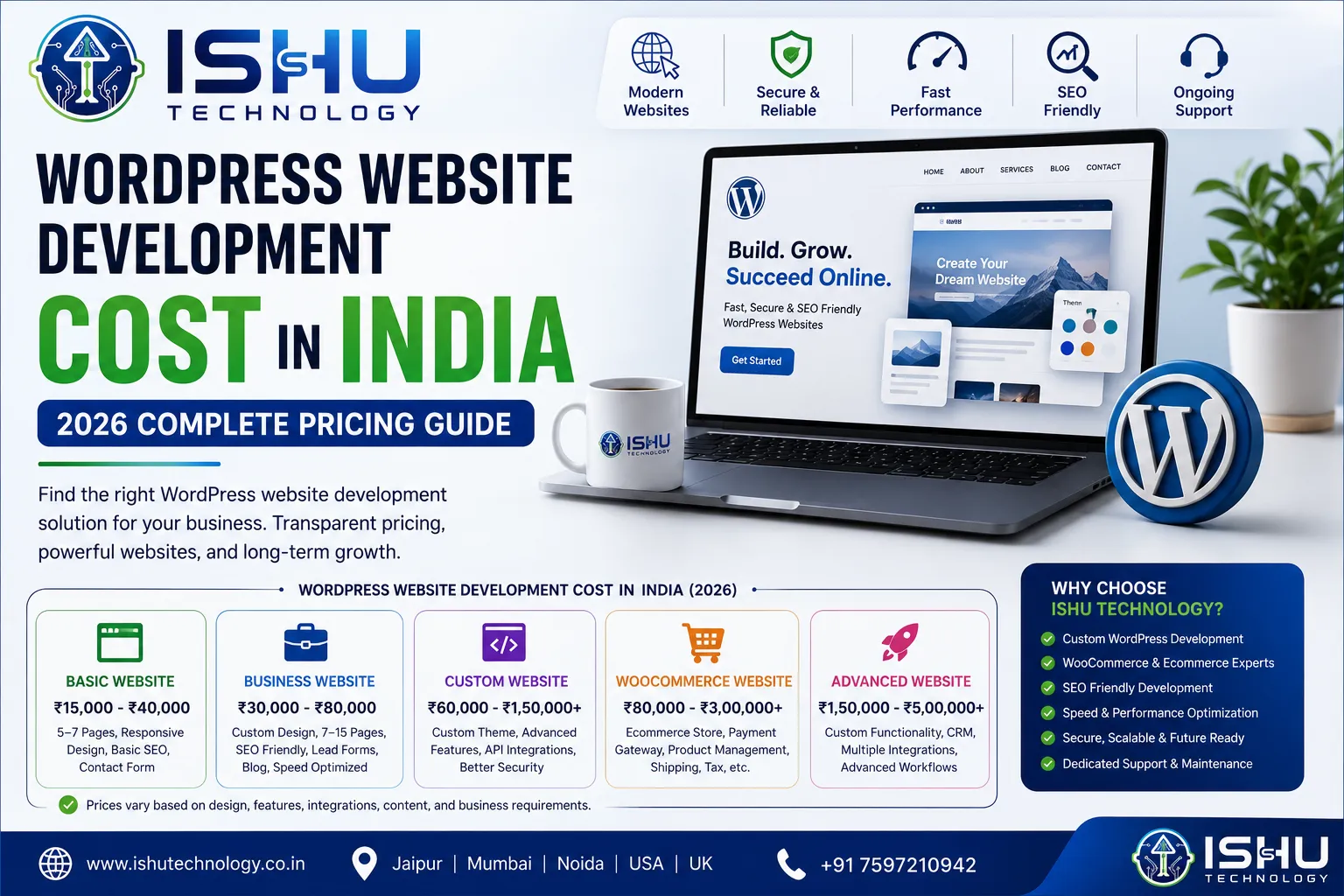
In 2026, current Indian pricing guides place basic WordPress projects around the ₹15,000 to ₹50,000 range, while professionally designed business websites can move into the ₹50,000 to ₹1,50,000 range. Custom WooCommerce and advanced WordPress projects can go considerably higher depending on the scope.

At Ishu Technology, we work with businesses that need WordPress websites ranging from professional company websites to custom development and WooCommerce solutions. The right budget depends on what the website actually needs to do, not simply how many pages it has.

This guide explains the WordPress website development cost in India in 2026, what you get at different price levels, which additional expenses you should consider, and how to plan your website budget before hiring a developer.

How Much Does a WordPress Website Cost in India in 2026?

A realistic starting point is:

Website TypeApproximate Development Cost
Basic WordPress Website₹15,000 to ₹40,000
Professional Business Website₹30,000 to ₹80,000
Custom Business Website₹60,000 to ₹1,50,000+
Corporate / Advanced Website₹1,00,000 to ₹3,00,000+
WooCommerce Website₹80,000 to ₹3,00,000+
Advanced Custom WooCommerce₹1,50,000 to ₹5,00,000+

These are indicative market ranges, not fixed rates. Current 2026 pricing guides show significant variation depending on the website type, design requirements, developer or agency, integrations, ecommerce functionality, and ongoing requirements.

For example, a small business may need only a homepage, about page, services, contact page, and basic SEO setup. An ecommerce company could require product management, payment gateways, shipping, inventory, customer accounts, custom checkout functionality, and third-party integrations.

Naturally, the second project requires more work.

What Is Included in WordPress Website Development Cost?

Many business owners see a development quote and assume that everything required to launch the website is included.

That is not always the case.

The total website investment can include several separate components:

  • Website design
  • WordPress development
  • Domain name
  • Web hosting
  • Theme
  • Premium plugins
  • Custom functionality
  • Content
  • SEO setup
  • Security
  • Payment gateway integration
  • API integrations
  • Website migration
  • Speed optimization
  • Maintenance and updates

WordPress itself is open-source software. However, running a professional website still requires hosting and other resources. WordPress’s official requirements currently include PHP, MySQL or MariaDB, and HTTPS support.

This is why asking only “What is the WordPress website price in India?” does not give you the complete picture.

WordPress Website Cost by Type

1. Basic WordPress Website: ₹15,000 to ₹40,000

A basic WordPress website is usually suitable for a small business, freelancer, consultant, professional, or local service provider.

It may include:

  • 5 to 7 pages
  • Pre-built or lightly customized theme
  • Mobile-responsive design
  • Contact form
  • Basic WordPress setup
  • Basic plugin configuration
  • Social media links
  • Basic SEO configuration

For businesses with straightforward requirements, this can be a practical starting point.

However, you should check exactly what is included in the quote. A very low-cost website may use a generic template with limited customization.

If your business depends heavily on the website for leads or sales, spending a little more on structure, design, speed, and SEO can make more sense than choosing purely on the lowest price.

2. Professional Business Website: ₹30,000 to ₹80,000

This is where many established small and medium-sized businesses fall.

A professional WordPress website may include:

  • Custom page layouts
  • Better UI/UX
  • Responsive development
  • Service pages
  • Lead-generation forms
  • Blog section
  • Analytics integration
  • Basic technical SEO
  • Security configuration
  • Performance optimization
  • More detailed customization

Recent Indian pricing guides commonly place professional business WordPress websites somewhere around ₹30,000 to ₹80,000, although the exact quote depends on the scope and provider.

This category is often a better fit for businesses that want their website to become an important part of their marketing strategy rather than simply an online brochure.

3. Custom WordPress Website: ₹60,000 to ₹1,50,000+

A custom WordPress website is different from simply installing a premium theme and changing colors.

With custom development, the website can be designed around your brand, users, business process, and specific functionality.

Depending on the project, it may include:

  • Custom UI/UX design
  • Custom WordPress theme
  • Custom templates
  • Custom plugin development
  • API integrations
  • CRM integration
  • Advanced forms
  • Custom dashboards
  • SEO-ready architecture
  • Performance optimization
  • Security hardening
  • Third-party integrations

Current 2026 pricing references commonly put professionally designed or custom WordPress projects into the ₹60,000 to ₹1,50,000+ range, with more complex builds moving beyond that.

For a business that expects the website to support long-term growth, custom development can be worth considering.

4. WooCommerce Website Cost in India

If you want to sell products online, your project becomes more than a standard WordPress website.

WooCommerce is built on WordPress and adds ecommerce functionality such as products, carts, checkout, orders, payments, and store management.

A WooCommerce website may cost approximately ₹80,000 to ₹3,00,000+, while advanced stores with custom functionality can move into the ₹1,50,000 to ₹5,00,000+ range. Current 2026 Indian pricing guides show wide ranges because ecommerce requirements vary significantly between projects.

Your WooCommerce budget can be affected by:

  • Number of products
  • Product variations
  • Payment gateways
  • Shipping integration
  • Inventory management
  • GST or tax requirements
  • Custom checkout
  • Customer accounts
  • Coupons and discounts
  • Subscription functionality
  • CRM integration
  • ERP integration
  • Custom APIs
  • Product filters
  • Performance requirements

For example, a store selling 20 simple products is much easier to develop than a large ecommerce operation with hundreds of products, multiple shipping rules, custom pricing, and ERP integration.

What Factors Affect WordPress Website Development Cost?

1. Number of Pages

A 5-page website requires less design and development work than a website with 50 or 100 pages.

But page count alone does not determine the price.

A single page containing a complex calculator or custom application may require more development than several simple content pages.

2. Design Requirements

A ready-made theme can reduce initial development time.

Custom UI/UX design requires more planning and development because each major section has to be designed specifically for the business.

If your website needs a unique brand experience, custom design is usually the better approach.

3. Custom Functionality

This is one of the biggest cost factors.

For example, you might need:

  • Custom calculators
  • Booking systems
  • Membership functionality
  • Customer portals
  • CRM integration
  • API integrations
  • Custom dashboards
  • Automated workflows
  • Advanced search
  • Product configurators

These requirements involve development beyond standard WordPress configuration.

4. Plugins and Third-Party Tools

WordPress has a huge ecosystem of plugins, but premium plugins may have separate licensing costs.

Some projects require several paid tools for:

  • SEO
  • Security
  • Forms
  • Ecommerce
  • Backup
  • Membership
  • Email marketing
  • Analytics
  • Booking
  • Performance

You should ask whether plugin licenses are included in the development quote or billed separately.

5. SEO Requirements

SEO should not be treated as something you add after the website is finished.

A development team can prepare the technical foundation through:

  • Proper heading structure
  • Clean URLs
  • Metadata
  • XML sitemap
  • Schema markup where appropriate
  • Mobile responsiveness
  • Internal linking structure
  • Image optimization
  • Crawl-friendly architecture
  • Performance considerations

This does not mean that simply building an SEO-friendly website guarantees rankings. Search visibility also depends on content, competition, authority, technical health, search intent, and ongoing optimization.

6. Website Speed and Performance

Website performance can also affect development cost.

A website with unnecessary plugins, oversized images, excessive scripts, or inefficient code may require additional optimization.

WordPress projects can involve:

  • Image compression
  • Caching
  • Database optimization
  • Code optimization
  • JavaScript and CSS optimization
  • Server configuration
  • CDN configuration
  • Core Web Vitals improvements

At Ishu Technology, WordPress performance optimization is part of the development offering, along with custom themes, plugin/API development, WooCommerce development, migration, security, and related services.

Additional Costs You Should Include in Your Budget

The development quote is not always your total first-year website cost.

Domain

Your domain is the address people use to access your website.

For example:

yourbusiness.com

Domain pricing varies depending on the extension and registrar.

Hosting

Hosting is where your WordPress website runs.

You can choose from shared hosting, managed WordPress hosting, VPS hosting, or other infrastructure depending on the website’s requirements.

A small informational website usually does not need the same hosting setup as a busy ecommerce store.

SSL

HTTPS is essential for modern websites. Many hosting providers include SSL as part of their hosting plans.

WordPress itself lists HTTPS support among its server-side requirements.

Premium Themes and Plugins

If your project uses paid themes or plugins, those licenses may create recurring annual costs.

Always ask:

Who owns the license?

Who pays for renewal?

Is the license transferable?

These questions are easy to overlook during development.

Maintenance

A WordPress website should not simply be launched and forgotten.

Depending on the website, maintenance can include:

  • WordPress updates
  • Plugin updates
  • Theme updates
  • Backups
  • Security monitoring
  • Bug fixes
  • Performance checks
  • Content updates

Your maintenance budget depends on how frequently the site changes and how important it is to your business.

Freelancer vs Agency: Which Is Better?

The cheapest option is not automatically the best option, and the most expensive option is not automatically the best either.

A freelancer may be suitable for a straightforward project with a clearly defined scope.

An agency or development company may make more sense when you need multiple capabilities such as:

  • UI/UX
  • WordPress development
  • WooCommerce
  • SEO
  • API integration
  • Performance optimization
  • Security
  • Digital marketing
  • Ongoing support

The important thing is to compare what you are actually receiving, rather than comparing only the quoted amount.

How to Reduce WordPress Website Development Cost

You do not necessarily need to spend lakhs of rupees to build a good WordPress website.

You can control the budget by making sensible decisions.

Start With Clear Requirements

Before contacting developers, decide:

  • How many pages do you need?
  • Do you need ecommerce?
  • Do you need payment integration?
  • Do you need a blog?
  • Do you need CRM integration?
  • Who will provide content?
  • Do you need custom design?
  • What features are essential?

Clear requirements make quoting easier.

Avoid Unnecessary Features

Do not add functionality simply because it is available.

Every feature adds development, testing, maintenance, or licensing requirements.

Build what your customers actually need.

Plan SEO From the Beginning

Fixing structural SEO issues after launch can take more time than considering SEO during development.

Think About Long-Term Costs

A cheap website that needs to be rebuilt shortly after launch may cost more than building the right foundation from the start.

Why Choose Ishu Technology for WordPress Development?

Ishu Technology provides custom WordPress development for businesses in India as well as clients in the USA and UK.

Its WordPress services include custom theme development, custom plugin and API development, WooCommerce ecommerce development, speed and performance optimization, Headless WordPress with Next.js, migration, security, and audits.

The development process covers requirement discovery and architecture, custom development, quality assurance, SEO and speed checks, deployment, and client training.

This approach is useful when you need more than a template-based website and want the development to consider your business requirements from the beginning.

Explore Ishu Technology’s WordPress Development Services

Is WordPress Worth the Investment in 2026?

For many businesses, yes.

WordPress can support simple business websites as well as much more advanced websites with custom functionality and ecommerce.

The important question is not whether WordPress is cheap.

The better question is:

Will the website solve the business problem you are trying to solve?

If you need a simple online presence, a basic WordPress website may be enough.

If your website is responsible for generating leads, selling products, publishing content, integrating business systems, or supporting marketing campaigns, investing in better development can make more sense.

Frequently Asked Questions

What is the average WordPress website development cost in India?

For a professional business website, a practical 2026 budget is often around ₹30,000 to ₹1,50,000, depending on design, functionality, SEO, integrations, and development requirements. Basic websites can cost less, while custom and ecommerce projects can cost significantly more.

How much does a 5-page WordPress website cost in India?

A simple 5-page WordPress website can start around ₹15,000 to ₹40,000, while a more professionally designed or customized website can cost more.

How much does a custom WordPress website cost in India?

A custom WordPress website can commonly fall around ₹60,000 to ₹1,50,000+, with advanced functionality potentially pushing the budget considerably higher.

How much does a WooCommerce website cost in India?

A professional WooCommerce website can start around ₹80,000 and move to ₹3,00,000 or more. Advanced ecommerce projects with custom integrations and functionality can cost ₹5,00,000+ depending on scope.

Is WordPress free?

WordPress software is open source, but running a professional website still involves expenses such as hosting, domain, premium plugins, development, maintenance, and potentially paid themes or other services.

Does website development include SEO?

It depends on the developer or agency.

Some packages include only basic SEO configuration, while others include a more complete technical SEO setup. Always confirm exactly what is included before signing the project.

How much does WordPress maintenance cost in India?

Maintenance pricing varies according to the website and level of support. A simple website generally requires less ongoing work than an ecommerce store or custom WordPress platform with multiple integrations.

Is it better to use a template or custom WordPress development?

A template can be suitable when your requirements are simple and your budget is limited. Custom development becomes more useful when your website needs a unique design, custom functionality, better control over the code, or integrations with other business systems.

Final Thoughts

The WordPress website development cost in India in 2026 can range from around ₹15,000 for a basic website to several lakhs for a custom ecommerce or advanced WordPress project.

The final price depends on what you are actually building.

Before choosing a developer, look beyond the initial quote. Check the design quality, development approach, SEO foundation, website speed, security, integrations, ownership, maintenance, and post-launch support.

For businesses that need a professional WordPress website with custom development, WooCommerce, integrations, performance optimization, or ongoing technical support, Ishu Technology can help plan and develop the website around the actual business requirements.

The best website budget is not necessarily the lowest one. It is the budget that gives your business the right foundation without paying for functionality you do not need.

Visit Ishu Technology

Ishu Technology Launches Its Own AI Agent Chatbot: A Smarter Way to Connect With Customers

Businesses are changing the way they communicate with customers. People now expect quick answers, easy access to information, and support that is available when they need it.

To meet this changing need, Ishu Technology has developed its own AI Agent Chatbot, adding another technology solution to its growing range of web development, ecommerce, CRM, SEO, and digital services.

The new AI chatbot represents an important step for Ishu Technology as the company continues to build practical technology solutions for modern businesses.

What Is an AI Agent Chatbot?

An AI agent chatbot is a software-based conversational system designed to interact with users through chat.

Unlike a traditional website chatbot that may simply provide a fixed set of questions and answers, an AI-powered agent can be designed to understand user messages and respond in a more conversational way.

For businesses, this can create a more natural way for visitors and customers to interact with a website or digital platform.

The exact capabilities of an AI agent depend on how it has been developed, what information it has access to, and which business processes it is connected with.

Why Did Ishu Technology Build Its Own AI Agent Chatbot?

Ishu Technology already works across several areas of digital technology, including WordPress development, WooCommerce, Shopify, custom CRM development, mobile applications, SEO, and digital marketing.

Developing an AI Agent Chatbot is a natural extension of that technical focus.

Instead of looking at AI only as a trend, Ishu Technology is exploring how conversational technology can become part of practical business systems.

The goal is simple: create technology that can help businesses improve the way they communicate with website visitors and customers.

How an AI Agent Can Help a Business

A chatbot can become a useful communication layer between a business and its audience.

Depending on how it is configured, an AI agent can potentially help with areas such as:

  • Answering common customer questions
  • Providing information about products or services
  • Guiding website visitors
  • Helping users find relevant information
  • Handling initial customer conversations
  • Supporting lead-generation workflows
  • Providing information outside normal business hours

However, not every AI chatbot needs to perform all of these functions. The useful capabilities depend on the business and the system behind the chatbot.

That is why a well-designed AI solution should start with a business requirement rather than simply adding AI for the sake of having it.

AI Chatbot vs Traditional Website Chatbot

There is an important difference between a basic chatbot and a more advanced AI agent.

A traditional chatbot may work through predefined options.

For example:

User: What are your services?

Bot:

  1. WordPress Development
  2. Shopify Development
  3. SEO
  4. Meta Ads

This can be useful, but the conversation is limited to the options programmed into the system.

An AI-powered chatbot can be designed to handle natural-language questions.

For example:

User: I need an online store for my fashion business. Which platform should I choose?

Instead of forcing the visitor to select from a menu, an AI-based system can be designed to understand the question and provide a relevant response based on the information available to it.

This can make the interaction feel more natural.

AI and Website Development Are Coming Closer Together

The development of an AI Agent Chatbot is particularly relevant to Ishu Technology because the company already builds business websites and digital platforms.

Its current services include custom WordPress development, WooCommerce ecommerce development, Shopify development, mobile applications, and custom CRM solutions.

That creates opportunities to think about websites differently.

A modern website does not necessarily have to be a collection of pages where visitors simply read information.

It can become an interactive digital experience where users can ask questions, find information, and begin conversations with a business.

AI Chatbots for Ecommerce

Ecommerce is one area where conversational technology can be particularly interesting.

Imagine a customer visiting an online store and asking:

“I am looking for a product suitable for this requirement. What should I choose?”

A properly configured AI agent could potentially guide the customer based on the product information available to the system.

For ecommerce businesses using platforms such as Shopify or WooCommerce, this could become another way of helping customers navigate large product catalogs.

Ishu Technology already provides custom Shopify and WooCommerce development, including ecommerce customization, payment integrations, and conversion-focused store development.

Combining ecommerce development with conversational technology could therefore create interesting possibilities for future online stores.

AI Chatbots and Lead Generation

For service-based businesses, the first customer conversation is often important.

A visitor may want to know:

  • What services are available?
  • Does the company work in my location?
  • How does the process work?
  • What type of website do I need?
  • Can the company build an ecommerce store?
  • How can I contact the team?

Instead of making visitors search through multiple pages, an AI agent can provide a conversational entry point.

This does not necessarily replace human communication.

In many cases, the better approach is to use automation for initial interactions and allow a human team to take over when the conversation requires personal attention, technical discussion, or a sales consultation.

AI Agent Chatbots and Custom CRM Systems

Another interesting area is the connection between AI and CRM systems.

Ishu Technology already develops custom CRM software designed around business workflows, including lead management, customer tracking, sales pipelines, and internal communications.

An AI agent could potentially become another interface between customers and these business systems.

For example, a future workflow might allow a visitor to start a conversation through a website and then move that enquiry into a company’s internal sales process.

The exact workflow depends on the AI system, CRM architecture, permissions, and integrations involved.

This is where custom development becomes important. Every business has different processes, so there is rarely a single chatbot setup that works perfectly for everyone.

Why Building an AI Agent In-House Matters

Developing its own AI Agent Chatbot gives Ishu Technology an opportunity to understand conversational technology from the development side rather than only using third-party tools.

Building an internal solution can also help a technology company learn about:

  • Conversational user experience
  • AI-powered interfaces
  • Business automation
  • Knowledge-based responses
  • Website integration
  • Customer interaction workflows
  • AI and CRM possibilities

These lessons can become valuable when developing future solutions for clients.

AI Should Solve a Real Business Problem

One of the biggest mistakes businesses can make is adopting AI simply because everyone is talking about it.

A chatbot that does not provide useful information can actually make a website experience worse.

The important questions are:

What should the AI agent help users accomplish?

What information should it provide?

When should a human take over?

What business systems should it connect with?

How should customer information be handled?

These questions should be answered before implementing an AI chatbot for a business.

The technology is important, but the user experience and business process are equally important.

Ishu Technology’s Approach to Modern Digital Solutions

The AI Agent Chatbot is another example of how Ishu Technology is expanding beyond traditional website development.

The company currently works across web development, ecommerce, mobile apps, custom CRM systems, SEO, and digital marketing for businesses in India, the USA, and the UK.

Its broader approach is focused on connecting technology with business requirements.

For example, a company may need a WordPress website today, a CRM tomorrow, ecommerce functionality later, and eventually an AI-powered customer interface.

Having development capabilities across these areas can make it easier to think about the complete digital ecosystem instead of treating every technology as a separate project.

What Could AI Agent Chatbots Mean for Businesses?

The role of conversational technology is likely to continue expanding.

Businesses are already looking for ways to reduce repetitive communication, improve customer experiences, and make information easier to access.

An AI agent can potentially support these goals when it is trained, configured, and integrated properly.

But the most useful AI systems will probably not be the ones that simply talk.

They will be the ones that understand a business context, provide useful information, and help users complete meaningful tasks.

That distinction matters.

The Future of AI-Powered Business Solutions

Ishu Technology’s development of its own AI Agent Chatbot marks another step in its technology journey.

The company already works with websites, ecommerce platforms, custom CRM systems, mobile applications, SEO, and digital marketing.

Adding AI-powered conversational technology opens another area for experimentation and product development.

For businesses, this could eventually mean more ways to combine their website, customer communication, CRM, ecommerce systems, and automation into one connected digital experience.

The technology will continue to evolve, but one principle should remain the same:

AI should make the customer experience more useful, not more complicated.

Final Thoughts

The launch of an AI Agent Chatbot developed by Ishu Technology reflects the company’s interest in building its own practical technology solutions rather than limiting its work to traditional websites and digital marketing.

As businesses become more dependent on digital communication, conversational interfaces can provide another way for customers to interact with brands.

The real value, however, will come from how the technology is used.

A successful AI agent should understand its purpose, provide relevant information, fit naturally into the customer journey, and work alongside human teams when human expertise is needed.

For Ishu Technology, this AI Agent Chatbot is another step toward building modern digital solutions that connect websites, software, ecommerce, CRM, and customer communication.

And for businesses exploring AI, it is a useful reminder that the best technology is not necessarily the technology with the most features. It is the technology that solves the right problem.

Frequently Asked Questions

What is Ishu Technology’s AI Agent Chatbot?
It is an AI-powered chatbot developed by Ishu Technology as part of its continued work in modern web and software solutions.

Why did Ishu Technology develop its own AI chatbot?
The chatbot represents the company’s move toward developing practical AI-powered solutions that can support digital customer interactions and business workflows.

Can an AI Agent Chatbot replace human customer support?
Not necessarily. AI can handle suitable repetitive or informational interactions, while human teams can remain responsible for complex, sensitive, or personalized conversations.

Can AI chatbots be integrated with websites?
Yes, AI-powered conversational interfaces can be integrated into websites and digital platforms. The exact implementation depends on the chatbot architecture and the website technology.

Can AI work with CRM systems?
AI agents can potentially be connected with CRM systems and business workflows, depending on the available APIs, permissions, data architecture, and development requirements.

Does Ishu Technology provide custom software development?
Yes. Ishu Technology offers custom CRM development, mobile app development, WordPress, Shopify, WooCommerce, and other digital development services.

8 Things to Check Before Hiring a Website Development Company

Choosing a website development company is an important decision for any business. Your website is not just an online brochure. It can become a major source of leads, enquiries, sales, bookings, and brand visibility.

The problem is that many businesses compare agencies only by looking at portfolio designs or asking for the lowest price. A website may look impressive in a demo but still have poor performance, weak SEO, limited scalability, or difficult maintenance.

If you are planning to hire a website development company, there are a few things you should check before signing a contract.

Here are eight of the most important ones.

1. Check Their Relevant Development Experience

The first thing to look at is not the number of websites an agency claims to have built. Look at whether they have experience with projects similar to yours.

A company website, ecommerce store, SaaS platform, booking website, and custom web application can have completely different technical requirements.

For example, if you need a WordPress website, check whether the company has experience with custom WordPress development rather than only installing ready-made themes.

If you need ecommerce, ask whether the team works with platforms such as WooCommerce or Shopify and whether they can handle payment gateways, integrations, product management, and checkout optimization.

Ishu Technology works across WordPress, WooCommerce, Shopify, custom web solutions, SEO, Meta Ads, mobile applications, and CRM development. Its website also showcases projects across WordPress and WooCommerce.

The key is to find experience that matches your project, not simply a long list of services.

2. Ask Which Technology They Recommend and Why

A good website development company should not automatically recommend the same platform to every client.

Your technology should depend on your business model and requirements.

For example:

WordPress can be a strong option for content-heavy business websites, blogs, service businesses, and organizations that need a flexible CMS.

WooCommerce can be suitable when you want an ecommerce store built on WordPress with extensive customization options.

Shopify can work well for businesses that want a managed ecommerce platform and a relatively straightforward way to launch and operate an online store.

The right agency should explain the advantages and limitations of the recommended platform instead of simply telling you that it is “the best.”

Ishu Technology states that it works with WordPress, WooCommerce, and Shopify and recommends the platform based on different business requirements.

3. Check Whether SEO Is Considered During Development

One of the biggest mistakes businesses make is treating SEO as something that happens after the website is finished.

A website should be developed with search visibility in mind from the beginning.

Ask the development company whether it considers:

  • SEO-friendly URL structures
  • Page titles and meta descriptions
  • Heading hierarchy
  • Internal linking
  • XML sitemaps
  • Schema markup
  • Mobile responsiveness
  • Website speed
  • Image optimization
  • Canonical URLs
  • Crawlability and indexability

This does not mean a technically optimized website will automatically rank at the top of Google. SEO also depends on content quality, competition, authority, search intent, and ongoing optimization.

But a poor technical foundation can make SEO unnecessarily difficult.

Ishu Technology’s services include technical SEO, schema markup, local SEO, keyword and content optimization, and link building alongside web development.

4. Don’t Ignore Website Speed and Performance

A beautiful website is not very useful if visitors have to wait for every page to load.

Performance should be discussed before development begins.

Ask how the company handles:

  • Image compression
  • Code optimization
  • Caching
  • JavaScript and CSS
  • Third-party scripts
  • Hosting configuration
  • Database optimization
  • Mobile performance
  • Core Web Vitals

This is particularly important for ecommerce websites. A slow product page or complicated checkout can create unnecessary friction for customers.

Ishu Technology describes its WordPress development services as performance-focused and also offers Shopify speed and Core Web Vitals optimization.

You should also be careful with promises such as “100% guaranteed PageSpeed score.” Real-world performance depends on hosting, content, integrations, scripts, and ongoing changes.

5. Understand What Is Included in the Price

Never compare website development quotes based only on the final number.

Two agencies may quote very different prices because they are offering completely different levels of service.

Before choosing a company, ask what the proposal includes.

For example:

  • Number of pages
  • Custom UI/UX design
  • Responsive development
  • CMS setup
  • Ecommerce functionality
  • Payment gateway integration
  • Third-party APIs
  • SEO setup
  • Analytics
  • Content migration
  • Testing
  • Security
  • Hosting
  • Domain
  • Maintenance
  • Post-launch support

Also ask what will cost extra.

This can prevent an uncomfortable situation where the initial quote looks affordable but important features become paid add-ons later.

A professional proposal should make the scope clear.

6. Ask About Security, Backups, and Maintenance

Website development does not end when the website goes live.

Your website may need software updates, security checks, backups, bug fixes, performance monitoring, and occasional development work.

This is especially important for WordPress and ecommerce websites where themes, plugins, integrations, and payment systems may need regular attention.

Before hiring a developer, ask:

Who will handle updates?

How often are backups taken?

What happens if the website goes down?

Who owns the hosting account?

Will I receive administrator access?

How are security issues handled?

Is post-launch maintenance available?

Ishu Technology lists security hardening and API integrations among its WordPress development capabilities and provides ongoing maintenance options for Shopify stores.

You should also make sure that your business retains appropriate access to its domain, hosting, website, analytics, and other essential accounts.

7. Check Their Development and Testing Process

A website should not go directly from coding to launch without proper testing.

Ask the company how it tests websites before they become public.

A good process may include checking:

  • Desktop and mobile layouts
  • Different browsers
  • Navigation
  • Contact forms
  • Checkout
  • Payment gateways
  • Broken links
  • Images
  • Tracking codes
  • API integrations
  • Website speed
  • Security
  • SEO elements

The exact testing process will vary depending on the project.

For a simple business website, testing may be relatively straightforward.

For a Shopify store, WooCommerce website, custom CRM, or web application, testing can be much more extensive.

Ishu Technology describes a delivery process that includes discovery and strategy, design and development, followed by testing, launch, and growth scaling.

Ask for a clear explanation of this process before development begins.

8. Check Post-Launch Support

This is one of the most overlooked questions when hiring a website development company.

What happens after the website is launched?

A new website may need small adjustments after real users start interacting with it. You may also need new pages, integrations, security updates, design changes, or performance improvements later.

Find out whether the company offers:

  • Technical support
  • Website maintenance
  • Bug fixing
  • Security updates
  • Performance optimization
  • Feature development
  • Content support
  • Ecommerce support
  • SEO services

Also ask about response times and whether support is included in your package or billed separately.

Ishu Technology offers website development along with SEO, ecommerce development, Meta Ads, mobile app development, and custom CRM solutions, which can be useful for businesses that need ongoing digital development beyond the initial website build.

What About the Company’s Portfolio?

A portfolio is useful, but don’t judge an agency only by screenshots.

Try to understand what the agency actually did on each project.

Ask:

  • Was the design custom?
  • Was the website built from scratch?
  • Which platform was used?
  • Did the agency handle development or only design?
  • Were integrations involved?
  • Was SEO included?
  • Is the website still active?
  • Was there any ecommerce functionality?

You can also look at the websites on your own phone.

Check how quickly they load, whether navigation feels easy, whether the content is readable, and whether important actions are obvious.

A portfolio tells you more when you evaluate the actual user experience, not just the visual presentation.

Website Development Company vs Freelancer: Which Should You Choose?

There is no automatic winner.

A skilled freelancer can be an excellent choice for a small website or a project with limited requirements.

A development company may be more suitable when you need multiple skills such as UI/UX design, development, ecommerce, SEO, integrations, testing, and ongoing support.

The important thing is to match the resource with the complexity of your project.

For a basic five-page website, a large development team may be unnecessary.

For an ecommerce store with payment gateways, CRM integrations, SEO requirements, and ongoing marketing, a team with multiple capabilities may provide more value.

Questions to Ask Before Signing the Contract

Before hiring a website development company, ask these questions:

  1. What platform do you recommend for my business and why?
  2. Is the design custom or template-based?
  3. What exactly is included in the quoted price?
  4. Will the website be mobile responsive?
  5. How will you handle website speed?
  6. Will basic technical SEO be included?
  7. Who owns the website and source code?
  8. Will I have full admin access?
  9. How will backups and security be handled?
  10. What support is available after launch?
  11. How are additional features priced?
  12. What is the expected development timeline?

The answers will tell you much more than a sales presentation.

Why Businesses Consider Ishu Technology

Ishu Technology provides web development and digital marketing services for businesses in India and international markets. Its current service offering includes WordPress development, WooCommerce and Shopify ecommerce development, SEO, Meta Ads, mobile app development, and custom CRM solutions.

For WordPress projects, Ishu Technology highlights custom themes, performance optimization, security hardening, and API integrations. For ecommerce, its services include Shopify and WooCommerce development, payment gateway integration, and conversion-focused store development.

This broader combination can be useful for businesses that want their website, ecommerce platform, SEO, and digital marketing strategy to work together.

Final Checklist Before Hiring a Website Development Company

Before you make your final decision, check these eight areas:

1. Relevant experience
Does the company have experience with projects similar to yours?

2. Technology expertise
Can they clearly explain why WordPress, Shopify, WooCommerce, or another platform is right for you?

3. SEO readiness
Will SEO-friendly technical foundations be considered during development?

4. Performance
How will they keep the website fast and responsive?

5. Pricing and scope
Do you know exactly what you are paying for?

6. Security and maintenance
Who will handle updates, backups, and technical issues?

7. Testing
Is there a proper QA process before launch?

8. Post-launch support
Who will help you after the website goes live?

If a company can answer these questions clearly, you are in a much better position to make an informed decision.

Conclusion

Hiring a website development company should not be based on price or appearance alone.

The right development partner should understand your business goals, recommend the appropriate technology, build with performance and SEO in mind, communicate the project scope clearly, and provide support after launch.

Whether you need a WordPress business website, a WooCommerce store, a Shopify ecommerce website, or a more customized digital solution, take time to evaluate the company before signing the contract.

For businesses considering a development partner, Ishu Technology offers WordPress, Shopify, WooCommerce, SEO, Meta Ads, mobile app, and custom CRM development services for businesses in India, the USA, and the UK.

A website is a long-term business asset. Choosing the right team to build it can make the difference between simply having a website and having one that genuinely supports your business.

Frequently Asked Questions

What should I check before hiring a website development company?

Check their relevant experience, technology expertise, SEO knowledge, performance approach, pricing, security practices, testing process, and post-launch support.

How do I know if a website development company is reliable?

Review relevant projects, ask for a clear development process, check what is included in the proposal, and make sure ownership and access to your website and accounts are clearly defined.

Should I choose WordPress, Shopify, or WooCommerce?

It depends on your requirements. WordPress is often suitable for content-focused business websites, WooCommerce is designed for ecommerce on WordPress, and Shopify is a managed ecommerce platform. The right choice depends on your business model and technical needs.

How much does it cost to hire a website development company?

There is no fixed price. Cost depends on the number of pages, design requirements, platform, ecommerce functionality, integrations, custom development, SEO, and ongoing support.

Does Ishu Technology provide website development services?

Yes. Ishu Technology provides WordPress, Shopify, WooCommerce, and other digital development services, along with SEO, Meta Ads, mobile app, and custom CRM development.

How to Choose the Best Website Development Company in Jaipur in 2026

Choosing a website development company is not just about finding someone who can build a website. Your website may become your main source of leads, sales, bookings, or customer enquiries, so the development partner you choose can have a direct impact on your business.

For businesses in Jaipur, there are plenty of agencies and freelancers offering website design and development services. The challenge is knowing which one is actually right for your requirements.

A good website development company in Jaipur should understand more than design. It should be able to build a website that is fast, mobile-friendly, secure, easy to manage, search-engine friendly, and aligned with your business goals.

In this guide, we will look at the most important things to consider before hiring a web development company in Jaipur.

Why Your Choice of Web Development Company Matters

A website can look impressive and still perform poorly.

For example, a website may have attractive animations but take too long to load. Another may look good on a desktop but become difficult to use on mobile devices. Some websites are built without considering SEO, making it harder for search engines to understand the site’s content and structure.

The development process should therefore begin with your business requirements, not just a template.

Before starting a project, a professional team should understand:

  • What your business sells
  • Who your target customers are
  • Where your customers are located
  • What action you want visitors to take
  • Which services or products are most important
  • Whether you need ecommerce functionality
  • What integrations are required
  • How you plan to generate traffic
  • What the website may need as your business grows

This approach is particularly important for businesses targeting competitive markets such as Jaipur, Mumbai, Noida, or international markets.

What Services Should a Website Development Company Offer?

A reliable development company should be able to offer solutions based on the type of website you actually need.

For a service business, that could mean a professional WordPress website with lead forms, service pages, location pages, blog functionality, analytics, and SEO-ready architecture.

For an ecommerce business, you may need Shopify or WooCommerce development, payment gateway integration, shipping configuration, product management, checkout optimization, and third-party integrations.

Ishu Technology currently offers WordPress development, Shopify and WooCommerce ecommerce development, SEO, Meta Ads, mobile applications, and custom CRM development for businesses in India, the USA, and the UK.

The benefit of working with a company that understands both development and digital marketing is that the website can be planned with traffic and conversions in mind from the beginning.

WordPress Development in Jaipur

WordPress is a practical choice for many business websites because it can support everything from a simple company website to a more advanced content-driven platform.

A well-built WordPress website can include:

  • Custom page designs
  • Service and location pages
  • Blog and content sections
  • Lead generation forms
  • Custom integrations
  • Analytics
  • SEO functionality
  • Performance optimization
  • Security improvements

The important part is how the website is developed.

Installing a theme and changing the logo is very different from creating a website around a company’s actual brand, customers, services, and conversion goals.

Ishu Technology describes its WordPress development service as including custom theme development, performance optimization, security hardening, and API integrations.

Ecommerce Website Development in Jaipur

If you sell products online, your requirements are different from those of a normal business website.

An ecommerce website needs to make the buying process simple.

Customers should be able to:

  1. Find the right product.
  2. Understand the product.
  3. Add it to the cart.
  4. Choose a payment option.
  5. Complete checkout without unnecessary friction.
  6. Receive clear order information.

This is why businesses should carefully evaluate an ecommerce website development company in Jaipur before starting a project.

Ishu Technology provides Shopify and WooCommerce development, including payment gateway integration, ecommerce customization, checkout optimization, and integrations.

Shopify or WooCommerce?

The right platform depends on the business.

Shopify can be suitable for brands that want a managed ecommerce environment and a relatively straightforward store setup.

WooCommerce can be a better fit when a business wants WordPress integration, extensive customization, and more control over its website infrastructure.

There is no universal winner. Your products, budget, integrations, content strategy, and technical requirements should determine the choice.

Don’t Ignore Website Speed

Website speed is not something to think about after development is finished.

It should be considered while the website is being designed and developed.

Large images, unnecessary scripts, excessive plugins, poorly written code, and third-party tools can all affect performance.

A development company should pay attention to:

  • Image optimization
  • Clean code
  • Mobile performance
  • Caching
  • Server configuration
  • JavaScript and CSS
  • Third-party scripts
  • Database performance
  • Core Web Vitals

Ishu Technology specifically lists performance optimization as part of its WordPress services and speed optimization among its Shopify services.

A fast website does not automatically guarantee higher rankings or more sales, but a slow and difficult-to-use website can create unnecessary problems for both users and search engines.

Make SEO Part of the Development Process

One common mistake is building a website first and thinking about SEO later.

SEO should be considered during development.

For example, the website architecture should allow you to create useful service pages, product pages, blog posts, and location-specific content where appropriate.

Other technical areas also matter, including:

  • Page titles
  • Meta descriptions
  • Heading structure
  • Canonical URLs
  • XML sitemap
  • Robots directives
  • Internal linking
  • Schema markup
  • Mobile usability
  • Page speed
  • Image alt text
  • URL structure

Ishu Technology offers technical SEO, schema markup, local SEO, keyword and content optimization, and link-building services alongside its development services.

This can be useful for businesses that want their website and SEO strategy to work together instead of treating them as two completely separate projects.

Why Local SEO Matters for Jaipur Businesses

If your business serves customers in Jaipur, simply having a website is not enough.

Your website should make it clear what you offer, where you operate, and which customers you serve.

Depending on the business, this may involve location-focused service pages, locally relevant content, Google Business Profile optimization, consistent business information, customer reviews, and local citations.

However, location pages should be created for real services and locations you genuinely serve. Creating dozens of nearly identical city pages just to target keywords can create a poor experience for visitors.

A good web development company in Jaipur should understand this difference and build a website around genuine local search intent.

Ask About Mobile Responsiveness

A large portion of website visitors may access your site from smartphones.

That means your website needs to work properly on smaller screens, not simply shrink the desktop version.

Check whether:

  • Navigation works smoothly on mobile.
  • Buttons are easy to tap.
  • Text is readable.
  • Forms are easy to complete.
  • Product images display correctly.
  • Checkout works properly.
  • Pop-ups do not block important content.
  • Pages load efficiently on mobile connections.

A professional website development company should test the website across different screen sizes before launch.

Check the Company’s Development Process

Before hiring an agency, ask how the project will actually be handled.

A structured process may include:

1. Discovery

The team understands your business, audience, competitors, goals, and technical requirements.

2. Planning

The website structure, pages, functionality, technology, integrations, and content requirements are mapped out.

3. UI/UX Design

The design is created around your brand and customer journey rather than simply selecting a generic template.

4. Development

The approved design is converted into a functional website.

5. Testing

The website is checked across devices, browsers, forms, links, integrations, performance, and other important functions.

6. Launch

The website is connected to the domain and hosting environment and made available to visitors.

7. Ongoing Optimization

After launch, the website can be improved based on analytics, SEO performance, customer behaviour, and changing business requirements.

Ishu Technology describes its broader delivery process around discovery and strategy, design and development, followed by testing, launch, and growth scaling.

What Should You Ask Before Hiring a Website Development Company?

Don’t choose a company only because its portfolio looks attractive.

Ask practical questions.

Will I receive a custom website or a template-based website?

A template is not necessarily bad, but you should know what you are paying for.

Which platform do you recommend and why?

The company should be able to explain why WordPress, Shopify, WooCommerce, or another technology fits your requirements.

Will the website be SEO-ready?

Ask what technical SEO elements are included in development.

Will the website work properly on mobile devices?

Mobile responsiveness should be standard.

Who owns the website and its content?

Clarify access to hosting, domain, website files, CMS, analytics, and other important accounts.

What happens after launch?

Ask whether maintenance, security updates, technical support, and future development are available.

How will integrations be handled?

If you need payment gateways, CRM, shipping systems, WhatsApp, email automation, APIs, or analytics, discuss them before development begins.

How Much Does Website Development Cost in Jaipur?

There is no single price for website development.

A basic business website will have very different requirements from a custom ecommerce store or enterprise platform.

The final cost can depend on:

  • Number of pages
  • Custom design requirements
  • WordPress, Shopify, or WooCommerce
  • Ecommerce functionality
  • Payment gateway integration
  • API integrations
  • Custom features
  • SEO requirements
  • Content creation
  • Hosting
  • Security
  • Ongoing maintenance

Instead of asking only for the cheapest website development package, compare what is actually included.

A low initial quote can become expensive if important features are added later.

Likewise, paying for features your business does not need is not a smart investment either.

The better approach is to define the project requirements first and then compare proposals based on functionality, quality, support, and long-term value.

Why Businesses Choose Ishu Technology

Ishu Technology positions itself as a digital development and marketing company serving businesses across India, including Jaipur, Mumbai, and Noida, as well as clients in the USA and UK. Its services cover WordPress, Shopify, WooCommerce, SEO, Meta Ads, mobile applications, and custom CRM development.

For businesses that need both website development and digital growth services, having these capabilities under one team can simplify the process.

For example, an ecommerce business may need a WooCommerce or Shopify store, SEO, analytics, Meta Ads, payment integration, and ongoing technical improvements.

Instead of treating each requirement as an unrelated project, the website can be developed as part of a broader digital strategy.

Final Thoughts

The best website development company in Jaipur is not necessarily the one with the biggest portfolio or the lowest price.

Look for a team that understands your business, asks the right questions, recommends the right technology, builds for performance, considers SEO from the beginning, and remains available when the website goes live.

For a local service business, WordPress may provide the flexibility you need.

For an ecommerce brand, Shopify or WooCommerce may be more appropriate.

For a business with more complex workflows, custom development or CRM integration may be necessary.

The important thing is to choose the technology and development approach based on your actual goals.

A website should not simply exist online. It should make it easier for people to understand your business, trust your brand, contact you, and eventually become customers.

Frequently Asked Questions

Which is the best website development company in Jaipur?

The right company depends on your requirements, budget, technology, timeline, and business goals. Look for experience with the platform you need, clear communication, a strong development process, SEO awareness, and post-launch support.

How do I choose a web development company in Jaipur?

Start by defining your requirements. Then compare companies based on their relevant portfolio, technical expertise, development process, pricing, communication, support, and ability to work with your preferred technology.

Is WordPress good for a business website?

Yes. WordPress can be a strong option for service businesses, content-heavy websites, blogs, and companies that need a flexible CMS with extensive customization options.

Which is better for ecommerce, Shopify or WooCommerce?

Shopify is often suitable for businesses that prefer a managed ecommerce platform, while WooCommerce provides greater flexibility within WordPress. The right choice depends on your business requirements.

Does Ishu Technology provide website development services in Jaipur?

Yes. Ishu Technology lists Jaipur among its primary service locations and provides WordPress, Shopify, WooCommerce, SEO, Meta Ads, mobile app, and custom CRM development services.

Shopify vs WooCommerce: Which Ecommerce Platform Is Best for Your Business in 2026?

Choosing an ecommerce platform is one of the first major decisions you make when starting or scaling an online store. The platform you choose affects your website’s design, checkout experience, SEO, integrations, maintenance, and long-term growth.

Two of the most popular options businesses consider are Shopify and WooCommerce.

Both can power a successful ecommerce website, but they work in very different ways. Shopify is a hosted ecommerce platform designed to make store management simpler, while WooCommerce is an open-source ecommerce solution built on WordPress that gives businesses more control over their website and technology stack.

So, Shopify vs WooCommerce: which one is better for your business in 2026?

The answer depends on your products, budget, technical requirements, SEO strategy, customization needs, and growth plans.

Shopify vs WooCommerce at a Glance

FeatureShopifyWooCommerce
Platform typeHosted ecommerce platformOpen-source WordPress ecommerce platform
HostingIncludedSeparate hosting required
Ease of setupEasierRequires more setup
CustomizationHighVery high
SEO flexibilityGoodExcellent
Technical maintenanceLowerHigher
Content marketingGoodExcellent
Ecommerce featuresBuilt inAdded through WooCommerce
Store ownershipPlatform-basedGreater infrastructure control
Best suited forFast ecommerce launches and D2C brandsFlexible and customized online stores

Neither platform is automatically better. The right choice is the one that fits the way your business operates.

What Is Shopify?

Shopify is a hosted ecommerce platform that provides the infrastructure needed to create and operate an online store.

Instead of purchasing hosting separately and managing the underlying website environment yourself, Shopify handles much of the technical infrastructure.

You can create product pages, manage inventory, configure payments, customize your storefront, manage orders, and connect your store with various apps and sales channels.

This makes Shopify particularly attractive to businesses that want to focus more on selling and marketing rather than managing website infrastructure.

For a growing D2C brand, for example, Shopify can provide a relatively straightforward way to launch an online store and then add functionality as the business grows.

At Ishu Technology, Shopify development includes custom Shopify and Shopify Plus theme development, payment and shipping setup, third-party integrations, migration, performance optimization, and ongoing store maintenance.

What Is WooCommerce?

WooCommerce is an open-source ecommerce platform designed to work with WordPress.

Instead of being a complete hosted environment like Shopify, WooCommerce gives you an ecommerce framework that runs within your WordPress website.

This approach provides significant flexibility.

You can choose your hosting provider, WordPress theme, plugins, payment gateways, extensions, analytics tools, and custom development solutions.

That flexibility is one of WooCommerce’s biggest strengths.

It can be especially useful for businesses that need a highly customized store or already have a WordPress website with a strong content and SEO strategy.

Ishu Technology provides WooCommerce development and customization, including payment gateway integrations, checkout optimization, and scalable ecommerce solutions.

Shopify vs WooCommerce: Which Is Easier to Use?

For most beginners, Shopify is easier to set up.

The hosting and core ecommerce infrastructure are already managed, so you can concentrate on configuring the store, adding products, selecting a design, and setting up your sales process.

WooCommerce requires more initial setup because you need a WordPress website, hosting, theme, WooCommerce configuration, payment gateway, security setup, and other supporting components.

That does not mean WooCommerce is difficult. It simply gives you more decisions to make.

For a business working with a professional development team, the difference becomes much smaller because the technical setup can be handled for you.

Shopify vs WooCommerce for SEO

SEO is important for ecommerce businesses because organic search can bring customers to product, category, and informational pages without paying for every visit.

Both Shopify and WooCommerce can support an effective ecommerce SEO strategy.

WooCommerce has a particularly strong advantage when your business depends heavily on content marketing. Because it operates within WordPress, you can build detailed blog content, landing pages, category structures, guides, and other content assets alongside your store.

Shopify also provides important ecommerce SEO capabilities, but businesses should still pay attention to technical SEO, site structure, page speed, metadata, product content, internal linking, structured data, and search intent.

The platform alone does not guarantee rankings.

A technically strong Shopify store can outperform a poorly optimized WooCommerce website, and the reverse can also be true.

Which Is Better for Customization?

If maximum customization is your priority, WooCommerce generally gives you more control.

Because WooCommerce is open source and runs on WordPress, developers can customize the store’s code, database, integrations, templates, checkout experience, and functionality.

This can be useful for businesses with unusual product structures or complex workflows.

Shopify is also highly customizable, particularly through custom themes, apps, APIs, and Shopify Plus capabilities. However, you are still operating within Shopify’s platform environment.

For a standard D2C store, Shopify’s customization options are often more than enough.

For a business with complex requirements, WooCommerce may provide the greater level of control.

Shopify vs WooCommerce: Which Is More Cost-Effective?

This is where businesses need to look beyond the initial price.

Shopify uses a subscription-based model, with different plans depending on the features and scale of your business. You may also have additional costs for apps, payment processing, premium themes, and professional development.

WooCommerce itself is open source, but running a WooCommerce store still involves expenses such as hosting, domain registration, premium extensions, development, maintenance, security, and payment processing.

So the question is not simply:

“Which platform is cheaper?”

A better question is:

“Which platform gives my business the best total value for its requirements?”

A small business that wants to launch quickly may find Shopify’s managed environment worth the recurring cost.

A business that needs extensive customization may find WooCommerce more suitable because of the control it provides.

Shopify vs WooCommerce for Small Businesses

For a small business launching its first online store, Shopify can be an attractive option because the technical barrier is relatively low.

For example, suppose you run a fashion brand with 100 products and want to start selling online quickly. You may not need extensive custom development. In that situation, Shopify can provide the ecommerce foundation while your team focuses on product photography, marketing, customer service, and sales.

WooCommerce can be a better fit if your small business already has a WordPress website and wants to add ecommerce without moving to a separate platform.

It can also make sense when you need custom features that are difficult to implement through standard ecommerce tools.

Shopify vs WooCommerce for Large or Growing Businesses

As your business grows, your requirements usually become more complicated.

You may need:

  • Custom payment solutions
  • ERP or CRM integration
  • Advanced inventory management
  • Multiple sales channels
  • International selling
  • Custom shipping rules
  • Subscription products
  • Advanced analytics
  • Marketing automation
  • Custom customer journeys

Both Shopify and WooCommerce can support growing ecommerce businesses, but they take different approaches.

Shopify provides a managed ecosystem that can reduce infrastructure management. Shopify Plus can also be considered by businesses with more advanced ecommerce requirements.

WooCommerce gives businesses more control over their infrastructure and integrations, which can be valuable when the store needs extensive customization.

The important thing is to plan for the next stage of growth rather than choosing a platform only for today’s requirements.

Shopify vs WooCommerce for Website Speed

Website speed matters because customers do not want to wait for product pages, carts, or checkout screens to load.

However, platform choice is only one part of website performance.

Theme quality, image sizes, third-party scripts, plugins, apps, hosting, caching, code quality, database optimization, and technical implementation all affect performance.

A heavily customized WooCommerce website with too many plugins can become difficult to maintain.

A Shopify store loaded with unnecessary third-party apps can also suffer from performance issues.

This is why ecommerce development should include performance planning from the beginning.

Ishu Technology’s ecommerce development services focus on high-performance Shopify and WooCommerce stores, including checkout optimization, integrations, and conversion-focused implementation.

Shopify vs WooCommerce for Payment Gateways

Both platforms support multiple payment options, but the exact setup depends on your country, payment provider, business model, and technical requirements.

For Indian ecommerce businesses, payment gateways such as Razorpay can be important. International businesses may also require options such as Stripe or PayPal.

The important thing is to check whether your preferred payment gateway supports your business location and ecommerce requirements before selecting a platform.

A professional ecommerce development team can also help with payment gateway integration, testing, refunds, order status handling, and checkout configuration.

Shopify vs WooCommerce for International Ecommerce

Selling internationally introduces additional requirements.

You may need:

  • Multiple currencies
  • Multiple languages
  • International payment methods
  • Regional shipping
  • Tax configuration
  • Country-specific content
  • International SEO
  • Localized product information

Shopify provides tools and integrations designed for international commerce.

WooCommerce can also support international stores, but the exact setup depends more heavily on the plugins, extensions, hosting environment, and custom configuration you choose.

If your business plans to sell in India, the USA, the UK, or multiple markets, it is worth planning the international architecture before the store is developed.

Which Platform Is Better for D2C Brands?

For many D2C brands, Shopify is an appealing option because the platform is built around ecommerce.

A D2C company can combine its Shopify store with advertising, email marketing, social media, analytics, inventory, shipping, and other ecommerce tools.

WooCommerce can also work extremely well for D2C businesses, particularly when the brand wants greater control over content, SEO, design, and custom functionality.

The better platform depends on the brand’s operating model.

If speed to market and simple store management are priorities, Shopify may be the better fit.

If customization and control are priorities, WooCommerce deserves serious consideration.

Shopify vs WooCommerce: Which Should You Choose?

Here is a simple way to think about the decision.

Choose Shopify if:

  • You want to launch your store quickly.
  • You prefer managed hosting and infrastructure.
  • Ecommerce is the primary purpose of your website.
  • You want less technical maintenance.
  • You run a D2C brand and need a scalable ecommerce foundation.
  • You prefer an integrated ecommerce ecosystem.

Choose WooCommerce if:

  • You already use WordPress.
  • SEO and content marketing are major priorities.
  • You need extensive customization.
  • You want greater control over hosting and website infrastructure.
  • Your store requires custom integrations.
  • You have developers or an agency to manage the technical side.

Shopify vs WooCommerce: What Should You Choose in 2026?

There is no universal winner in the Shopify vs WooCommerce comparison.

Shopify is a strong choice for businesses that value simplicity, managed infrastructure, and faster ecommerce setup.

WooCommerce is a strong choice for businesses that value flexibility, customization, content, and greater control over their ecommerce website.

The right platform should be selected after considering your products, customers, business model, SEO strategy, budget, integrations, and long-term growth plans.

If you are building a new ecommerce store, migrating an existing website, or planning to scale an online business, Ishu Technology can help you evaluate the technical requirements and build the appropriate solution. The company provides Shopify, Shopify Plus, WooCommerce, WordPress, SEO, Meta Ads, mobile app, and custom CRM development for businesses across India, the USA, and the UK.

A good ecommerce website is not simply about choosing Shopify or WooCommerce. It is about creating a store that is fast, easy to use, search-friendly, secure, and built around the way your customers actually buy.

Frequently Asked Questions

Is Shopify better than WooCommerce?

Shopify is generally easier to launch and maintain, while WooCommerce provides greater control and customization. The better option depends on the business’s requirements.

Is WooCommerce cheaper than Shopify?

WooCommerce’s core platform is open source, but you still need to pay for hosting, development, extensions, security, and maintenance. Shopify has recurring subscription costs. Total cost depends on how the store is built and managed.

Which is better for SEO, Shopify or WooCommerce?

Both can support strong ecommerce SEO. WooCommerce offers extensive content and technical customization through WordPress, while Shopify provides built-in ecommerce functionality and SEO capabilities.

Which platform is better for a new ecommerce business?

Shopify may be a good option if you want a simpler setup and less technical maintenance. WooCommerce may be better if customization and control are more important.

Can I migrate from WooCommerce to Shopify?

Yes. A WooCommerce store can be migrated to Shopify, but the process should include product and customer data migration, URL mapping, redirects, metadata review, and SEO checks to minimize disruption.

Can I migrate from Shopify to WooCommerce?

Yes. Shopify stores can also be migrated to WooCommerce. The migration should be planned carefully to preserve product information, URLs, customer data where applicable, and organic search visibility.

Does Ishu Technology provide Shopify and WooCommerce development?

Yes. Ishu Technology provides custom Shopify, Shopify Plus, and WooCommerce development, including ecommerce customization, integrations, payment gateway setup, performance optimization, and related digital services.

WordPress vs Shopify vs WooCommerce: Which Is Best for Your Business in 2026?

Choosing the right platform for your website or online store can have a big impact on how easily you can manage your business, attract customers, and grow over time. Three names that come up again and again are WordPress, Shopify, and WooCommerce.

But there is an important point that often gets missed: WordPress and WooCommerce are not really direct competitors. WordPress is primarily a content management system (CMS), while WooCommerce is an ecommerce platform built for WordPress. Shopify, on the other hand, is a complete hosted commerce platform.

So, when comparing WordPress vs Shopify vs WooCommerce, the right choice depends on what you actually need from your website.

If your business needs strong content and SEO capabilities, WordPress can be a great foundation. If your main goal is to launch an online store quickly with less technical management, Shopify is attractive. And if you want a highly customizable ecommerce website with more control over hosting, code, data, and integrations, WooCommerce is worth considering.

WordPress vs Shopify vs WooCommerce: Quick Comparison

FeatureWordPressShopifyWooCommerce
Main purposeWebsite & content managementComplete ecommerce platformEcommerce for WordPress
HostingUsually managed separatelyIncludedUsually managed separately
EcommerceRequires an ecommerce solution such as WooCommerceBuilt inBuilt in
CustomizationVery highHigh, with platform limitationsVery high
SEO flexibilityExcellentGoodExcellent
Ease of setupModerateEasyModerate
Technical managementDepends on setupLowerHigher
Content marketingExcellentGoodExcellent
Store ownership/controlHighMore platform-dependentHigh
Best forContent-led websites and businessesFast-growing online storesFlexible, customized stores

The table gives you the short version. The real difference becomes clearer when you look at each platform separately.

What Is WordPress?

WordPress is an open-source publishing platform and CMS used to create websites, blogs, business websites, and many other types of online experiences. WordPress gives you control over the site’s design and functionality through themes, plugins, and custom development.

WordPress is particularly useful when your website needs more than just product listings.

For example, a service business may need:

  • Service pages
  • A blog
  • Landing pages
  • Lead-generation forms
  • Case studies
  • Portfolio pages
  • SEO-focused content
  • Customer resources

WordPress handles this type of content very well.

For ecommerce, however, WordPress does not work like Shopify out of the box. You normally add an ecommerce solution such as WooCommerce to turn the website into a full online store.

Advantages of WordPress

The biggest advantage is flexibility. You can choose your hosting provider, theme, plugins, integrations, and development approach.

It is also a strong option for businesses that plan to invest heavily in content marketing and organic search. WordPress gives you extensive control over pages, content structure, URLs, metadata, internal linking, and other SEO-related elements.

The trade-off is that you are more involved in managing the website. Hosting, updates, security, backups, plugin compatibility, and performance can require attention depending on your setup.

What Is Shopify?

Shopify is a hosted commerce platform designed specifically for selling online and in person. It brings the storefront, product management, inventory, checkout, payments, marketing tools, and other commerce functions into one platform.

This is where Shopify differs significantly from WordPress.

With Shopify, you do not normally need to arrange separate web hosting for your store. Shopify manages the underlying platform, while you focus more on products, customers, orders, marketing, and sales.

Shopify also supports themes, apps, social and marketplace selling, inventory management, international selling, and other ecommerce features.

Advantages of Shopify

Shopify is a strong choice when speed and simplicity matter.

A small business launching its first online store, for example, may prefer Shopify because it can avoid many of the technical decisions involved in building and maintaining a self-hosted ecommerce website.

Shopify’s current India plans include Basic, Grow, Advanced, and Plus tiers. As of July 2026, Shopify lists its Basic plan at ₹1,499 per month when billed yearly, with higher tiers available for businesses that need more staff accounts, reporting, international selling, or advanced functionality. Prices can change, so businesses should check the current plan before making a final decision.

The main limitation is that Shopify is a hosted platform. You get convenience and a managed environment, but you work within Shopify’s platform and pricing structure.

What Is WooCommerce?

WooCommerce is an open-source ecommerce platform built on WordPress. It adds shopping, product, checkout, order, payment, and store-management capabilities to a WordPress website.

This makes WooCommerce particularly interesting for businesses that want the content capabilities of WordPress combined with ecommerce functionality.

You can use WooCommerce for a relatively simple online store, but you can also customize it extensively for more complex requirements.

WooCommerce describes its core platform as free, with businesses choosing separately how much they spend on hosting, payment processing, extensions, development, and other services. Its current pricing information lists no platform fee or revenue share for the core platform.

Advantages of WooCommerce

The biggest benefit is control.

You can choose your hosting provider, payment solutions, themes, extensions, and development approach. WooCommerce also provides extensive options for customizing product pages, checkout flows, integrations, and store functionality.

That flexibility can be valuable when your business has requirements that don’t fit neatly into a standard ecommerce setup.

The downside is that flexibility also brings responsibility. You or your development team may need to handle hosting, updates, backups, security, performance optimization, and compatibility between plugins and extensions.

WordPress vs Shopify vs WooCommerce: Which Is Easier to Use?

If ease of setup is your top priority, Shopify generally has the simplest starting point.

You sign up, choose a theme, add products, configure your store, and start selling. Hosting and much of the underlying infrastructure are managed for you. Shopify also provides 24/7 support on its listed plans.

WordPress is relatively straightforward for publishing content, but building a complete business website can involve selecting hosting, a theme, plugins, and other services.

WooCommerce sits somewhere in between. The basic platform is accessible, but creating a polished, secure, fast ecommerce website can require more technical knowledge than setting up a basic Shopify store.

For businesses working with a professional web development company, however, this difference matters less because the technical work can be handled by the development team.

Which Platform Is Better for SEO?

There is no simple “SEO winner” based only on the platform.

What matters is how well the website is built and managed.

WordPress and WooCommerce offer a high level of SEO flexibility, especially for businesses that publish a lot of content. You have extensive control over page structures, content, URLs, plugins, schema implementation, internal links, and technical configuration.

Shopify also includes built-in SEO features and supports content, product pages, collections, and other ecommerce SEO requirements.

For a business targeting competitive search terms, platform choice is only one part of the equation. Site speed, content quality, technical SEO, mobile experience, structured data, backlinks, product information, and internal linking all matter.

So if someone tells you that one platform automatically ranks better than another, be careful with that claim.

Which Is Better for Ecommerce?

If ecommerce is the core of your business, both Shopify and WooCommerce are strong options.

Shopify is particularly appealing if you want an integrated ecommerce system and prefer to minimize technical maintenance.

WooCommerce is attractive when you want deeper control over the website and store infrastructure.

For example, imagine you sell 50 standard products and want to launch quickly. Shopify may be the simpler choice.

Now imagine you have a large content-driven website, custom product requirements, complex integrations, or a strong preference for controlling your hosting and website code. WooCommerce may make more sense.

WordPress vs Shopify vs WooCommerce: Cost

Cost is one area where businesses often make the wrong comparison.

WordPress itself is open source, but a real website still has costs such as hosting, domain registration, premium themes or plugins, maintenance, development, and security. WordPress recommends either installing it on your own hosting or using a hosting provider.

WooCommerce’s core platform is free, but your total cost can include hosting, paid extensions, payment processing, development, maintenance, and other services. WooCommerce currently lists hosting for many stores at roughly $25 to $350 per month, although actual costs depend heavily on the store and infrastructure.

Shopify has a more predictable subscription model. In India, Shopify currently lists Basic at ₹1,499 per month when billed yearly, with Grow and Advanced at higher prices. Additional costs can still apply depending on apps, payment processing, and other requirements.

The cheapest platform is therefore not necessarily the one with the lowest starting price. You should compare the total cost of ownership for your specific business.

Which Platform Is Best for Small Businesses?

For a small business, the answer depends on what you sell and how you operate.

Choose Shopify if:

  • You mainly want to sell products online.
  • You want to launch quickly.
  • You don’t want to manage hosting.
  • You prefer a managed ecommerce platform.
  • Your store does not require unusual custom functionality.

Choose WordPress if:

  • Your website is mainly focused on services or content.
  • Blogging and SEO are important.
  • You need a flexible business website.
  • Ecommerce is secondary or may be added later.
  • You want broad control over website customization.

Choose WooCommerce if:

  • Ecommerce is important to your business.
  • You want WordPress and ecommerce together.
  • You need significant customization.
  • You want more control over hosting and your technology stack.
  • You have a developer or agency that can manage the technical side.

Which Is Better for a Growing Business?

Growth changes the decision.

A business that starts with a simple store may eventually need advanced integrations, multiple payment methods, international selling, custom checkout requirements, subscriptions, marketplaces, ERP or CRM integrations, and more.

Shopify supports international selling, multiple sales channels, inventory management, B2B features, apps, and higher-tier plans for more complex businesses.

WooCommerce takes a different approach. Instead of putting everything into one hosted system, it gives you a customizable foundation where you can select the infrastructure and extensions that fit your business. WooCommerce currently highlights support for custom products, B2B use cases, subscriptions, international selling, multiple currencies, and a large extension ecosystem.

That makes both platforms capable of supporting serious ecommerce operations. The better option depends on your technical requirements and how much control you want.

WordPress vs Shopify vs WooCommerce: The Final Verdict

There is no single platform that is best for every business.

If you want a content-focused business website, WordPress is a strong choice.

If you want a quick, managed ecommerce store, Shopify is often the easier route.

If you want a customizable ecommerce website built on WordPress, WooCommerce is the more natural choice.

For many businesses, the decision comes down to one question:

Do you value simplicity more, or do you value control more?

Shopify leans toward simplicity and managed infrastructure. WordPress and WooCommerce give you more control and flexibility, but they also require more responsibility.

If you’re still unsure which option fits your business, it is worth looking beyond the platform name and considering your products, budget, SEO strategy, expected growth, integrations, technical resources, and long-term goals.

At Ishu Technology, the right approach should start with those business requirements rather than simply choosing the most popular platform. A well-planned website on the right platform can be much more valuable than a feature-heavy store built on the wrong one.

FAQs

Is WordPress better than Shopify for business websites?

For content-heavy business websites, WordPress can offer greater flexibility and control. Shopify is more focused on ecommerce and can be easier to manage when selling products is the main purpose of the website.

Is WooCommerce better than Shopify?

Neither is universally better. WooCommerce is usually more flexible and gives you greater control over your website infrastructure, while Shopify offers a more managed ecommerce experience.

Can WordPress be used for ecommerce?

Yes. WordPress can be turned into an ecommerce website by adding a platform such as WooCommerce. WooCommerce is specifically designed to provide ecommerce functionality within WordPress.

Is WooCommerce free?

The core WooCommerce platform is free and open source. However, you may still pay for hosting, extensions, development, payment processing, security, and other services.

Which is best for SEO, WordPress or Shopify?

Both can support effective SEO. WordPress offers extensive customization and content flexibility, while Shopify provides built-in SEO capabilities for ecommerce websites. Your technical setup, content, site performance, and overall SEO strategy will have a major impact on results.

Should a new ecommerce business choose Shopify or WooCommerce?

If getting a store live quickly with minimal technical management is important, Shopify may be the better starting point. If customization, ownership, and flexibility are more important, WooCommerce may be the better fit.

Add as a preferred source on Google